
Is the TP-Link TL-WR841N the Best Budget Router for You?
In a world packed with complex networking gadgets, the TP-Link TL-WR841N stands out for its simplicity and affordability—especially for those who just need reliable internet connectivity without breaking the bank. Equipped with essential features like 2.4 GHz Wi-Fi, a 300 Mbit/s data rate, and robust security protocols, it’s a great pick for homes or small businesses looking to maintain solid performance. This budget-friendly model keeps things straightforward yet efficient, making it a top contender for many everyday internet users. For more details, visit the official product page.
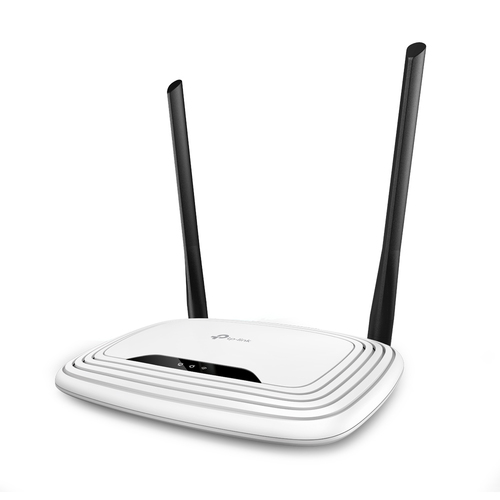
Key Features of the TP-Link TL-WR841N
Plunge into the specs, and you’ll find the TP-Link TL-WR841N is all about delivering the essentials. Sporting an RJ-45 WAN connection, this router operates on a single-band 2.4 GHz frequency. It embraces the Wi-Fi 4 (802.11n) standard, which might seem a bit old school to some—but let’s face it, it covers the basic browsing and streaming needs for most households.
With its Fast Ethernet capabilities, you’re looking at data speeds up to 100 Mbit/s, courtesy of its 10/100 Ethernet ports. And yes, there are four LAN (RJ-45) ports to hook up your devices if wires are your thing. Notably, it supports QoS (Quality of Service), which helps prioritize traffic, potentially avoiding those nasty streaming hiccups. Of course, it won’t compete with the premium dual-band models that float around in the tech arsenal of more intense users, but that’s hardly the point. If you’re keen to learn about how it stands alongside other tempting TP-Link options, why not take a look at some other TP-Link products?Benefits and Value Proposition
One of the standout marks of the TP-Link TL-WR841N is undeniably its budget-friendly price point. And let me tell you, installing it is a breeze—so much so that even the tech-averse will find it manageable. Pop it out of the box, follow the succinct guides, and you’re off! Its security measures, including WEP, WPA, and WPA2 algorithms, are a pleasant bonus, creating a reliable environment for personal use without the dread of unseen threats.
Then there's its 'plug and play' nature that meshes well with modern demands—plus, it's IPv6 ready, which may sound like technical jargon but essentially means you’re set for future net protocols. Even if you’re only building a network for personal use or a modest office, this router fits like a glove—offering stable performance while keeping costs lean. It's kind of like getting a robust economy car—it's not a luxury experience, but it certainly gets you where you need to be. For more goodies on setup and tweaks, TP-Link’s website houses a detailed setup guide, which might come in handy.Practical Applications in Everyday Use
How does the TP-Link TL-WR841N fare in real-world scenarios? It's right at home in settings demanding moderate browsing and light streaming. If you've got a small household or maybe a bustling tiny space like a dorm room, its steady connection is a trusty sidekick for study sessions or casual binge-watching.
I remember setting it up in a college dorm and being amazed at its sheer simplicity—it was literally a no-brainer. In a world cluttered with sophisticated tech, the straightforward installation was quite a relief, especially as I fumbled less with wires and spent more time online. Against more complex setups that often challenge us tech novices (think daunting gaming routers with endless customization), the TL-WR841N feels refreshing. For some clever nuggets on optimizing your home network, you might find a good read on insightful home network tips and tricks. Those tips can turn your setup into an efficient fortress even with a basic router like this. Check more specs on the official product details page.Comparisons and Alternatives
In the budget router lineup, how does the TP-Link TL-WR841N stack up? Well, compared to its peers, it often nudges towards the front of the line due to a fine balance between cost and feature set. Still, there are some limitations to note—like its single-band operational focus, while lacking gigabit Ethernet, which power users might find limiting.
When you pit it against routers from brands like D-Link or Netgear in its price bracket, there's a certain trust that TP-Link earns for its lasting performance and reliability, not unlike choosing a reliable sedan over a pricey sports car. Sure, the sports car might zip a bit faster, but it’s the sedan that gets you all those reliable miles—and perhaps that’s the defining charm of the TP-Link TL-WR841N. Curious about how others perceive it? Delve into what users have shared by exploring TP-Link TL-WR841N reviews to see if it might just fit your networking blueprint.Our Honest Take on the TL-WR841N
After a thorough once-over, the TP-Link TL-WR841N stands out for numerous reasons. On the plus side, you’ve got its affordability and reliability for everyday needs—it’s fantastic for small homes or dorm situations. Setup is a breeze if you're not looking for rocket science.
However, don’t expect it to cater to heavy-duty gaming or extensive HD streaming—limitations do exist, particularly with demanding data loads. It might hiccup with multiple HD streams, relying solely on its 2.4 GHz frequency. The bottom line? If non-stop gaming or high-definition videos across multiple devices aren't your primary internet tasks, this router is a practical, budget-friendly pick. Readying it for basic online tasks, in my experience, is where it truly shines.Setting Up Your TP-Link TL-WR841N
Wondering how to get started with the TP-Link TL-WR841N? Let’s make it easy. Step one: unbox the router and plug in the power adapter. Next, connect it to your modem using the Ethernet cable—voilà, you’re halfway there! Afterward, boot up your laptop or any device to access the router's setup page through its IP address.
Once in, configure the Wi-Fi name and adjust security settings to your liking, then save your particulars. A quick reboot, and the network system is live. It’s worth noting that optimal placement—usually in a central location—can help maximize coverage. Oh, and don't stumble on the typical error of botched cabling; a tight setup saves troubleshooting hassle later on. If you find yourself in a jam, the user manual can provide additional support.Conclusion
Reflecting on the TP-Link TL-WR841N, it offers a delightful blend of budget-consciousness and ease for users who don’t require the nitty-gritty features of high-end routers. It’s particularly fitting for households marked by light to moderate internet consumption. While premium upgrades with extra flair may captivate those with more demanding needs, such as dual-band requirements, the TL-WR841N retains its charm with a no-fuss, ready-to-go appeal.
If searching for an affordable yet realistically functional addition to your IT setup, this router fills the role efficiently. It’s a smidgen of networking simplicity amid tech complexity. So weigh your needs, check your requirements, and perhaps steer towards making a confident choice. For an in-depth look, swing by and consider this router. Offering solid efficacy without pomp, it rounds out an ally for many a tech-savvy or novice user alike.Frequently Asked Questions
Common questions about TP-Link TL-WR841N wireless router Fast Ethernet Single-band (2.4 GHz) White