
How Do You Pick the Perfect Laptop for Work and Play?
Imagine you're in the market for a new laptop, standing in a sea of options with sleek and enticing displays, yet unsure which to choose. It's not just a device; it's your partner in both productivity and leisure. Laptops act as our digital hubs, catering to emails and entertainment alike. Join me as we dive into decoding specs and unravel how to uncover the best choice for your unique needs.

Understanding Key Laptop Features
When embarking on the laptop hunt, it's crucial to dive into key features like processor speed. Think of it as your laptop’s brain—an AMD Ryzen™ could be precisely what you need. For casual users, this might feel like overkill, but if you’re into gaming or video editing, a swift processor is essential. Without it, you’ll often find yourself waiting impatiently for tasks to finish.
Then, there's RAM. Ever had multiple tabs open while streaming music and your laptop...just freezes? That’s where an 8 GB DDR5 RAM can make all the difference, letting you multitask smoothly. It handles all those behind-the-scenes tasks, making everything operate like a well-oiled machine. Finally, storage—do you go with an SSD or HDD? SSDs tend to be faster, improving load times significantly, though HDDs offer more space for less cost. Both have their merits, and it typically depends on your storage needs. If speed matters more than space, SSD is your friend. By understanding these specs and more, you can tailor your choice to match your specific requirements. Curious about how these elements can impact your productivity? Consider exploring this guide on laptop specifications, which dives deeper into making informed decisions.Maximizing Benefits: Value for Money
Striking the perfect balance between price and performance is often the key question. Do we splash out on a high-end processor, or would upgrading RAM be the wiser choice? I once invested more in RAM believing it would solve all my woes—if only life were that simple! While RAM gives smoother multitasking, a top-notch processor spikes performance in ways I hadn't anticipated.
Thinking about screen resolution? Investing here means crisp visuals that often make all the difference in creative tasks. But for some, this might not hold the same weight. It's about understanding where you’ll get the most value for your buck. Assigning more funds to display might sound tempting, but for daily tasks, a balance suits most. Premium purchases can seem like the route to success, yet sometimes they aren't necessary. It's crucial to evaluate priorities for your personal scenario. Sometimes, laptops that shy from the pinnacle of specs deliver delightful surprises. Can we justify paying loads for minimal gains? The trick lies in deciding where you personally derive the most utility. Our blog on choosing business laptops also touches on this intricate balancing act.Real-World Applications and Use Cases
Laptops truly excel when tailored perfectly to their use case. Imagine a student streaming lectures seamlessly thanks to Wi-Fi 6. It’s not just a specification; it’s a lifeline to uninterrupted learning and easier note-taking. The practical joys of technology!
For professionals knee-deep in resource-heavy software, a laptop might feel like your trusty assistant. I recall a client who adopted a powerhouse laptop for CAD software—it opened up a realm of possibility they could only dream of before. Families, meanwhile, often find themselves discovering the unexpected joys of casual gaming right from the comfort of the couch. A setup focused on quality graphic cards and a steady internet connection often translates to endless fun without a hitch. Such is the beauty of matching tech to real-world needs. If you're curious about high-performing laptops for any scenario, explore examples like equipment tailored for diverse requirements to see how they fit various lifestyles.Laptops for Business and Leisure: Dual Purposes
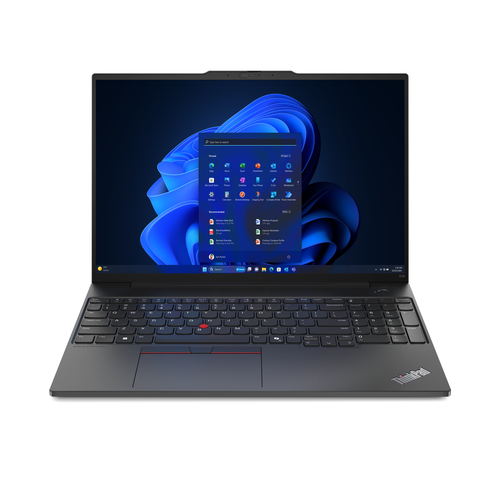
Many of today’s laptops are built to excel in both work settings and leisure. You might juggle timelines and spreadsheets during the day with a ThinkPad. These devices, crafted for on-the-go professionals, present robust features like prolonged battery life. The trusty companion you can rely on when crafting compelling presentations from the airport lounge.
When evening falls, switching gears to an immersive Netflix marathon on an Aspire 3 can be oh-so-satisfying. The trade-off here? Slightly lower work performance specs for affordability—a choice some are happy to make. It's fascinating how a single device can switch modes with you, adapting to fulfill different roles. Finding that middle-ground machine or leveraging technology that addresses both worlds isn't just about tech—it’s about lifestyle adaptation. Some folks, like myself, lean into models like the Lenovo that balance performance with entertainment needs. To learn more about business-oriented choices with leisure functions, consider diving into this exploration of laptops for business needs, where such dual-purpose solutions are dissected.Acer Aspire 3 vs. Lenovo ThinkPad E16 Gen 2
Comparing the Acer Aspire 3 and Lenovo ThinkPad E16 Gen 2 is a classic showdown of affordability versus advanced capability. Consider the Acer’s strengths—its accessible price point and ample storage space make it ideal for home setups and general browsing. On the flip side, the Lenovo ThinkPad E16 showcases an edge in processing horsepower and connectivity, catering beautifully to business professionals focused on productivity.
While the Aspire's robust affordability will suit many, those prioritizing sleek designs and high-end performance might find Lenovo more enticing. Each has distinct advantages—be it ThinkPad’s sleek dimensions or Aspire’s pocket-friendly charm—making the choice largely dependent on what you specifically need from a laptop.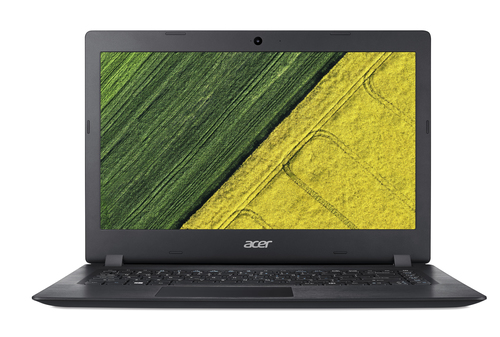
Steps to Setting Up Your New Laptop
Getting started with your new laptop involves steps like a seamless boot-up and setting up Wi-Fi 6. First, power on, and dive into connecting to the internet, making sure your Wi-Fi is ready for action. Managing updates follows closely—keeping your system running optimally is always beneficial.
You'll also want to consider software installations. Prioritize essentials like antivirus and configure cloud storage solutions—it’s often the small adjustments that enhance comfort. And never underestimate the power of personalization to make your laptop truly yours! Add productivity tools like office software to gear up efficiently for daily tasks. This checklist can ensure a smooth kick-off: set security measures, explore personalization, and integrate productivity apps to maximize utility from the get-go. For more detailed setup tips, consider our advice tailored for optimal business performance laptops.Conclusion
Selecting the perfect laptop often feels like aligning a puzzle with your unique lifestyle and professional needs. It’s not just about the sum of features—it’s about balancing specs, budget, and future-proofing decisions. Every choice—from processor to graphics—plays its part in the overall experience you seek. Recapping these steps, we find it’s more about understanding how each spec and feature plays into your daily life. Encourage yourself to explore options and truly assess what matches your personal and professional demands.
The call to action in this process is clear: take a dive into available options, examine specs deeply, and re-imagine your tech experience. For those wishing to explore tailored solutions, visiting Lenovo's official site might spark ideas. Ready to align yourself with the best device? Explore more choices on our dedicated laptop category page and invest confidently.Frequently Asked Questions
Common questions about Laptop