
Why Choose Microsoft Office 365 Personal Office Suite for Your Daily Needs?
When it comes to managing your productivity tools, the choice you make can influence the efficiency of your work and personal life. Choosing the Microsoft Office 365 Personal Office Suite sets you on a path where top-notch applications meet user-friendliness. With a suite that offers you applications like Word, Excel, OneNote, PowerPoint, and more, your productivity can skyrocket. Whether you're crafting documents, managing spreadsheets, or giving presentations, Microsoft Office 365 provides a seamless experience. Plus, the ability to work from almost any device, thanks to a 1-year subscription, ensures that you are consistently at your most efficient, whether at home or on the go. Discover more about the advantages of this suite.
Transform Your Work with the Versatile Features of Microsoft Office 365
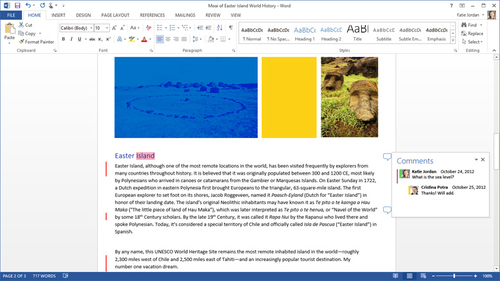
The Microsoft Office 365 Personal Office Suite offers features that are not just impressive but also tailored to meet everyday needs. With access to full Office applications on both PC or Mac, and on any iPad or Windows tablet, your working environment is as flexible as you need it to be. Each application within the suite is designed to cater to specific needs:
- Word: Engage with documents in a streamlined manner using the new read mode, and seamlessly edit PDFs as if they were native Word files.
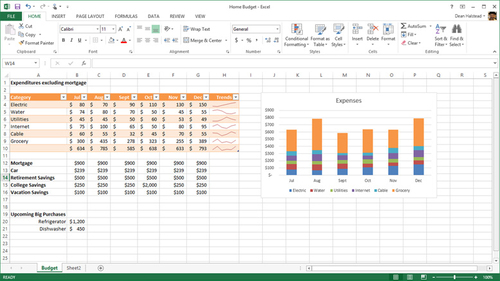
- Excel: Boost your data management with features like workbook window management and the Recommended Charts function that make analysis a breeze.
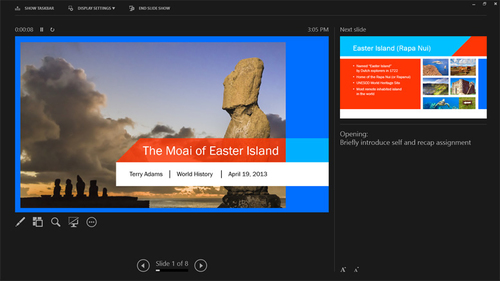
- PowerPoint: Deliver standout presentations with improved media compatibility and intuitive layout tools such as Smart Guides.
Additionally, with Outlook, managing communications is simplified. You can access all vital contacts at once, schedule meetings, and even view upcoming events alongside the local weather forecast. Offices are never static, and with Access and Publisher, creating custom applications or professional publications on the fly is straightforward and effective.
By using the capabilities of Office 365, you can maintain productivity regardless of your location. See how these features can transform your workflow.
Easily Manage and Share with OneDrive
OneDrive provides more than just storage; it offers a solution for collaboration and accessibility. With 1TB of storage, you can store photos, videos, and documents and access them from multiple devices seamlessly.
Key Benefits of Using OneDrive
Consider the myriad of ways OneDrive enhances productivity:
- Allow easy document sharing and collaboration with permissions settings.
- Create and organize your files with simplicity, keeping their access secure or shared at your discretion.
- Upload, browse, and share documents across a wide array of devices ensuring your work accompanies you wherever you go.
With OneDrive, instead of sending large email attachments, you can quickly share links where colleagues can view or edit documents directly. For anyone who appreciates the ease of collaboration and integration, OneDrive is a critical element of Office 365.
The Bottom Line: Is Microsoft Office 365 Personal Right for You?
If you are someone who values flexibility and access to a suite of powerful applications, Microsoft Office 365 Personal is a fitting choice. With its rich set of features, cross-device functionality, and impressive cloud storage options, you can streamline tasks and collaborate seamlessly. Since the suite is available for a yearly subscription, it delivers the latest updates and features, ensuring that you always stay one step ahead in productivity. Explore more about what makes this suite stand out.
Additionally, for a more tailored experience, Microsoft Office 365 includes not just traditional desktop applications, but also online components that round out its offerings as a comprehensive productivity suite.
Ready to enhance your productivity with Microsoft Office 365 Personal? Learn why professionals trust this suite.