
Is a Touchscreen Monitor Right for Your Setup?
Touchscreen monitors have slowly but surely been gaining traction in the tech world. Their interactive features are what make them appealing, allowing for a more hands-on approach to computing. But with all the buzz, are they truly worth integrating into your setup? Is a touchscreen monitor the right fit for your unique needs and workspace dynamics? Let’s dig deeper to help you make an informed decision.
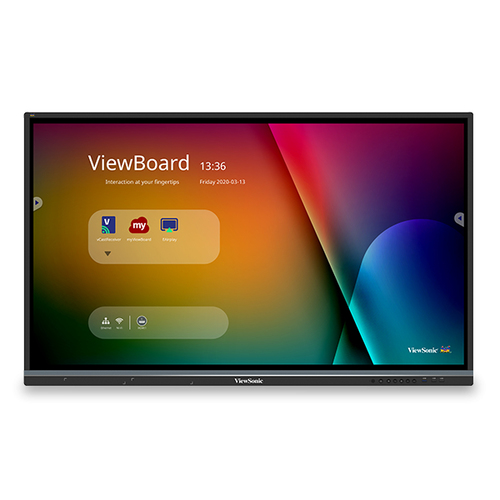
Understanding Touchscreen Monitor Features
Touchscreen monitors come packed with features that can significantly impact your user experience. One of the standout features is multitouch capabilities, enabling you to engage more dynamically with your device. The display size varies, with options ranging from compact models for smaller spaces to larger, more immersive screens. Additionally, resolution plays a crucial role; a higher resolution usually means crisper, sharper images, which is a boon for both productivity and entertainment.
Now, let’s touch on the technology that powers these displays. The two main types are capacitive and resistive touchscreens. Capacitive touchscreens are more common, offering better responsiveness and clarity by detecting touch via the user's electrical charge, while resistive screens, sensing pressure, might suit those needing a more rugged device. It’s fascinating how different touch technologies cater to various needs—whether precision or durability is your priority. When considering other aspects such as IPS panels, these can offer better viewing angles and color accuracy, making them ideal for creative tasks. Refresh rates are also important; a higher rate often provides smoother motion handling. And speaking of quality, exploring different monitor categories can help align these features with your specific priorities.Benefits of Touchscreen Monitors
The benefits of touchscreen monitors often extend beyond mere aesthetic appeal. Their flexibility is evident in various environments, from creative workstations to educational settings. You’ll notice how they enhance workflows by simplifying navigation. A simple swipe or tap can outperform traditional inputs for several tasks - providing a newfound efficiency that can be both delightful and practical. This improved interaction is particularly evident in creative fields, where designers and artists can draw directly on the screen.
However, it’s essential to acknowledge that traditional monitors might still hold an advantage in certain niches. For instance, while touchscreens excel in interactive scenarios, some users might prefer the precision of a mouse for detailed tasks, like graphic design or video editing. But on a different note, the learning curve is often less steep than anticipated, particularly in well-lit environments where their functionality shines brightest. Ultimately, the freedom of movement and ease of use they offer can be game-changers in settings where collaboration and interaction are key. You might find they align perfectly with modern educational tools, offering students an interactive way to engage with learning materials. Discovering these benefits in practice often illustrates their potential value better than any spec sheet could.Practical Applications: Where Touchscreens Shine
Touchscreen monitors are finding their niche across various domains. In business tech, they have become indispensable, frequently employed in settings like retail or real estate where client interactions and presentations are integral. These monitors can transform regular meetings, incorporating interactive elements that traditional setups might lack.
Creatively, the possibilities are seemingly endless. Digital artists benefit from the direct interaction touchscreens offer, bypassing other digital interfaces to work directly on their canvas. In educational environments, smart classrooms often implement these monitors to create more engaging and interactive learning experiences, encouraging hands-on participation from students. Furthermore, ergonomic gains can't be ignored, as touchscreens might help reduce repetitive motion injuries with their varied input methods. Implementing these monitors effectively requires thoughtful integration into existing setups. Businesses should assess which departments can truly maximize their potential before purchasing. If interested in exploring further, you might find this category helpful, as it dives into more applications and examples.Things to Consider Before Switching
Switching to a touchscreen monitor involves several factors worth considering, chief among them being budget constraints. Touchscreens can be pricier than their non-touch counterparts, so it's critical to verify whether their benefits justify the investment. Meanwhile, compatibility with existing systems is another potential hurdle. Ensuring your operating system supports touch functionality, or discovering if additional drivers are necessary, can prevent technical hiccups.
There's also a learning curve to address—users new to touch interfaces might take some time to adjust, so patience and perhaps training would be beneficial. Offering setup guidelines can ease this adjustment period, minimizing user frustration and maximizing monitor utility. Environmental factors, such as climate, might also affect performance. Regular cleaning is necessary, as touchscreens can be prone to smudges and fingerprints. Those in more humid areas might need to be cautious about screen responsiveness. All these points highlight the importance of a thoughtful approach to integration, ensuring a seamless transition that aligns with both personal and professional needs.Comparing Leading Touchscreen Models
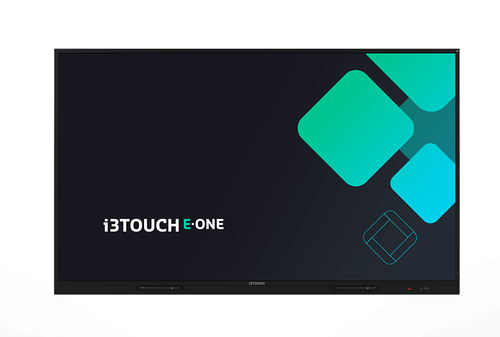
The SMART Technologies GX175-V3 and i3Technologies i3TOUCH E-ONE are standout contenders in the touchscreen monitor market. Display size is one major differentiator; the GX175-V3 offers a more compact 17.5-inch design compared to the i3TOUCH E-ONE's broader 21.5-inch frame—making the latter an amazing fit for those desiring a more immersive experience. In terms of brightness, the i3TOUCH typically excels, perfecting difficult lighting conditions. Performance-wise, their system integration capabilities vary, with the GX175-V3 often preferred in corporate environments due to its connectivity ease.
Resolution further defines their benefits—with the GX175-V3 boasting clarity suitable for most meeting settings, while the i3TOUCH incorporates superior speaker quality, enhancing multimedia applications. If you're leaning towards more detailed insights on the GX175-V3 and want to explore the i3TOUCH, we have comprehensive reviews to deepen your understanding.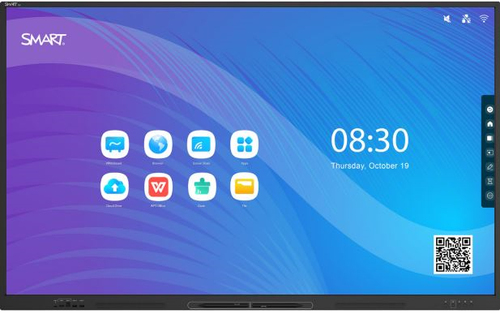
Setting Up Your Touchscreen Monitor
Setting up your new touchscreen monitor can be a straightforward process, but a little guidance always helps. Start by unboxing and placing it on a stable surface. Once it's secured, connect all required cables and power it on. The next step is to install any necessary drivers; your monitor may prompt this upon connection.
Calibrating touch sensitivity is crucial for an optimal experience, and most systems offer internal tools to assist with this. You'll want to adjust the display settings too—ensuring resolution and brightness levels suit your environment. Optimizing workspace ergonomics makes a difference—position the screen at eye level, reduce glare by adjusting lighting, and ensure the tilt is comfortable for extended interaction. Done correctly, this sets the stage for a smooth, interactive experience. By approaching this deliberately, you pave the way for seamless integration that's as efficient as it is enjoyable.Conclusion
Choosing the right touchscreen monitor boils down to understanding your precise needs and how these devices can meet them. We've journeyed through features, benefits, practical applications, and comparisons to equip you with a well-rounded perspective. Weighing each factor concerning your work and lifestyle preferences ensures you derive maximum value.
It's not just about technology—it's about selecting a tool that complements your workflow and future aspirations. Touchscreens can be transformative, but they must align with your goals for peak productivity and engagement. For more insight and potential deals, consider exploring retailers like the Online Tech Store Pennsylvania. Their support can further empower your decision-making process. Before you make the leap, ask yourself: How might this device reimagine my daily tasks? What unique requirements should it fulfill? By reflecting on these questions, you can confidently navigate the world of touchscreen monitors, completing a purchase that's both informed and beneficial. Discover the range of possibilities through this category link.Frequently Asked Questions
Common questions about Touchscreen Monitors