
What's the Right Laptop for Your Business Needs?
In today's fast-paced world, choosing a laptop tailored for your business needs can be a game-changer. Factors like performance, portability, and value for money aren't just buzzwords—they're crucial components. The right device can significantly enhance productivity while offering a competitive edge, especially in a tech-driven era. By aligning your choice with specific business requirements, you're not just investing in a tool but a strategic asset.
Key Features to Consider
When it comes to selecting the right laptop for business, key features such as processor speed, RAM, and storage can really make or break your computing experience. Let's break it down—think of the processor as the brain of your laptop. An Intel® Core™ i7 processor, for instance, is often the choice of professionals who need that extra bit of speed and efficiency for demanding applications. While it may cost more upfront, the performance boost it provides can save you countless hours in the long run.
RAM, which stands for Random Access Memory, is like the workspace on your desk; the more room you have, the more tasks you can juggle without clutter. 32GB DDR5 RAM is typically more than adequate for heavy multitasking, especially if you're running software that eats up a lot of memory. And then there's storage—should you go SSD or HDD? While HDDs offer higher capacity at a lower price point, SSDs are usually faster, more reliable, and consume less power. It's a trade-off between speed and storage, but in my experience, the slightly higher cost of an SSD is often worth the gains in performance and efficiency. Choosing wisely here often simplifies daily tasks and minimizes downtime, a vital consideration for any business professional.Benefits of Modern Laptops
Modern laptops come with a host of benefits that can drastically change how efficiently you work—whether you're pounding out reports at a café or presenting at a big meeting. One of the biggest advantages is improved multitasking capabilities—imagine being able to switch between spreadsheets, presentations, and communication tools without a hitch. High-resolution displays don't just make everything look prettier; they genuinely help alleviate eye strain during those marathon work days. Another notable benefit is connectivity. With the advent of Wi-Fi 6E (802.11ax), laptops can now offer faster and more stable connections, which is invaluable, especially if you're working remotely.
Let's say you're pulling together a big collaborative project over video calls and cloud-based platforms—this enhanced connectivity means fewer dropped calls and less frustration. In professional settings where time is of the essence, stable Wi-Fi can make or break your productivity levels. Anecdotally, in industries like digital marketing, enhanced connectivity and display clarity often make deadlines far less daunting. While no piece of hardware is flawless, staying connected reliably and seeing your work in high definition often places you several steps ahead.Use Cases for Business Professionals
In the business realm, not all laptops are created equal, and their strengths can shine in very specific scenarios. Take graphic design in a 360 Virtual Room, for example—a robust laptop can handle complex rendering tasks while supporting software that demands significant system resources. This flexibility allows graphic designers to smoothly switch between projects without a hiccup.
On the IT services side, analytical tasks can benefit dramatically from a high-performance machine—think running multiple virtual machines or analyzing big data sets. Here, the resource-intensive processes are streamlined by ample RAM and superior processing power. You might find that switching from software development to IT hardware support (and back again) becomes seamless with the right specs in place. On the other hand, if you're on the move often, laptops that blend power with portability should be on your radar. For additional insights, this ergonomic design approach has proven effective in optimizing workspace comfort, which can be a boon for any professional tethered to a screen for hours.Common Pitfalls and Alternatives
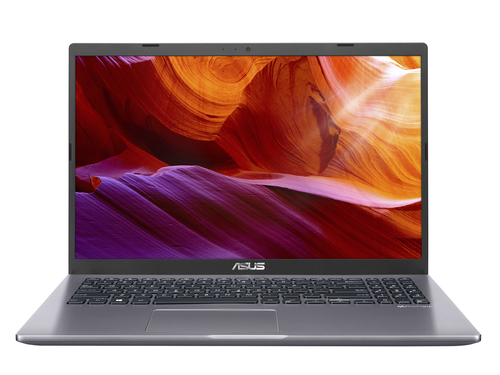
It's easy to get caught up in the thrill of buying new tech and end up overpaying for features you'll rarely use. For instance, while having a touchscreen might sound appealing, it’s often unnecessary for straightforward business tasks. An alternative worth considering is something like the ASUS M509. It offers a balanced mix of performance and cost that often suits the needs of many professionals without the hefty price tag. In my experience, appreciating what you genuinely need versus what's just nice to have can be a nuanced decision.
Setting up a new device can sometimes feel overly complex, a sentiment I've heard echoed with surprising frequency. A clear value assessment helps dodge these traps, ensuring that you're not just buying 'new and shiny' but investing in what's actually useful. If considering an entry-level option, the ASUS M509 efficiently meets essential business requirements without overwhelming you with unnecessary features. There's something to be said for simplicity in design—as well as the missed opportunity when it's not there.Comparing the Lenovo ThinkPad P16 and ASUS M509
When it comes to stacking up the Lenovo ThinkPad P16 Gen 2 and ASUS M509, you're really looking at two ends of the spectrum. The ThinkPad P16 shines with its superior processor and high-resolution display, making it ideal for creative tasks like video editing or design work where intricate detail is key. On the flip side, the ASUS M509 wins points for its affordability and portability, often making it a suitable choice for everyday business use where lugging around a heavy device just isn't practical.
If you're juggling resource-heavy applications, the ThinkPad's performance might tip the scale in its favor. Meanwhile, for a more budget-conscious professional who values ease of transport, ASUS's offering is an attractive contender. At the end of the day, the choice between these two could hinge on what you value most—is it raw power or is it the flexibility to work from anywhere without breaking the bank?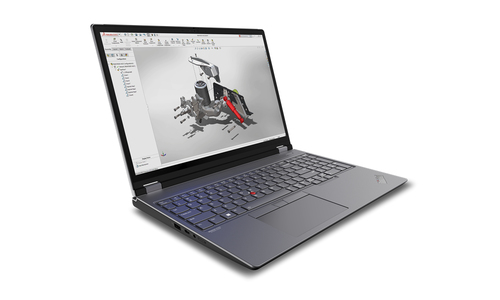
How to Set Up Your Laptop for Success
Getting a new laptop up and running can seem daunting, but it doesn’t have to be that way. Start by powering on the device and following the guided setup to connect to your Wi-Fi. You'll want to install essential software, like productivity suites and security applications, right off the bat.
Optimizing settings for performance can be a game-changer; ensure you adjust your display settings for clear visuals and configure battery settings for longevity. And don't forget security—enable built-in features such as firewalls and antivirus software to safeguard your data. Creating backups is another step you don't want to overlook; cloud-based solutions are usually the most convenient for this task. Lastly, familiarize yourself with connectivity options to ensure you can effortlessly join networks or transfer data. A small bit of preparation can set you up for a smooth start, paving the way for a harmonious tech relationship.Conclusion
In making your decision, weighing features alongside benefits is crucial. It's not just about what tech specs a device boasts—it's about how those align with your business goals and personal needs. Reflect on the factors discussed: from processor power and RAM to storage solutions and connectivity options. The best value, after all, typically stems from a well-thought-out balance. Remember, the right choice isn’t necessarily the most expensive one, but the one that goes hand-in-hand with your daily tasks and long-term objectives.
For even more informed decisions, explore other business laptops to find the perfect match. This strategic approach could well be the key to propelling your business forward, offering the competitive edge needed in today’s fast-paced, tech-driven market.Frequently Asked Questions
Common questions about Laptop
