Are Desktops Still King in the Age of Portables?
In a world teeming with ultra-portable devices like tablets and smartphones, the debate about whether desktops are outdated rages on. While portable gadgets dazzle with mobility and sleek designs, desktops stubbornly maintain their relevance among certain users and tasks. Their allure? Raw power and performance that cater to tech-intensive activities. We'll delve into why, despite the burgeoning presence of portable devices, desktops might still hold vital spots in contemporary IT environments.
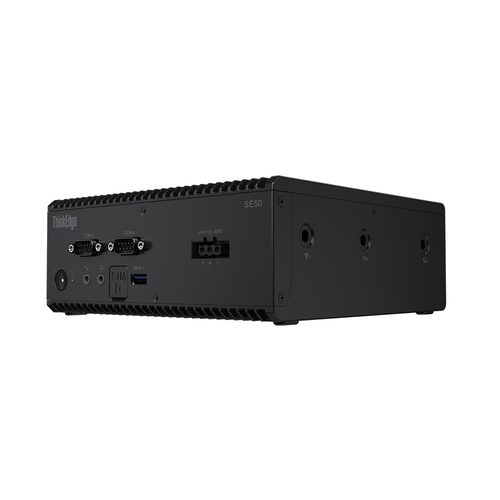
Unmatched Power and Performance
With desktop PCs, you really dive into a realm of sheer power—something portables can't fully match. These machines are typically loaded with more formidable CPUs and RAM, offering just the right muscle for demanding tasks. For instance, video editing or big data computations require heavy lifting only a desktop can provide efficiently. In my experience, whenever I faced projects with towering data loads, my trusty desktop rose to the occasion without hiccups. Its ability to manage these tasks was truly unmatched.
There's also a noticeable difference when you look at desktops' performance in professional settings, especially tech-heavy industries where power is non-negotiable. Whether it's a design studio or a tech lab, desktops continue to shine. They not only alleviate bottlenecks but also enhance productivity manifold. A friend of mine often recounts how his desktop setup, despite being a few years old, still bulldozes through 3D rendering tasks without breaking a sweat. So, while portables shine in easy tasks and day-to-day applications, desktops assert themselves firmly where formidable computing is concerned. Interestingly, the preference for desktops in these settings ties into recent studies about productivity economics and tech adoption, illustrating the enduring appeal of having heavyweight machinery at one's disposal.Value Proposition of Desktops
Desktops frequently offer superior value for money compared to their portable counterparts. One of the main advantages is their impressive lifespan; desktops often outlast laptops due to their robust construction and better cooling systems. Plus, they're like a blank canvas you can continually improve upon. With a little tinkering here and an upgrade there—be it more RAM or a more powerful graphics card—you're set! I've seen scenarios where colleagues easily extended their desktops' lives beyond the typical six-year mark, simply by upgrading essential components.
The real value, however, lies in their customizability. You get to handpick each component according to your work requirements and budget constraints—something you can't do as freely with a laptop. In terms of capital efficiency, businesses find desktops particularly enticing. Many companies stick with desktops despite the allure of portables, primarily because they're a cost-effective investment in the long run. Historically, there's been a consistent market preference for desktops when it comes to roles that demand power and efficiency. According to market trends, desktops maintain a strong foothold among businesses prioritizing capital efficiency. This essential value proposition demonstrates why desktops still command attention in a tech-savvy world obsessed with the next big thing.Best Use Cases for Desktops
So, where exactly do desktops excel? That's a question worth exploring! They often shine in complex scenarios like software development, graphic design, and intensive gaming. These tasks require enduring power and resource availability that desktops still offer better than laptops. I mean, picture a graphic designer tangled in layers of design software—desktops, with their knack for managing heat and sustained performance, become the go-to choice.
Even businesses utilize desktops for heavy-duty applications. Think of software firms in Pennsylvania. They often rely on desktop setups to maintain smooth operations, especially where heavy coding and simulations are the norms. The big players in IT services frequently prioritize desktops for projects that demand consistent outputs and avoid performance lags. Additionally, desktops outdo their portable counterparts when it comes to heat management during long, intensive sessions. Without the thermal throttling issues that laptops encounter, desktops deliver consistent performance. So, if you're looking into entering these fields or if your existing setup isn't cutting it, maybe it's time to revisit why desktops may serve your purposes better!The Portable Dilemma
In today's fast-forward world, portability is indeed a massive win. From business meetings to weekend getaways, having a laptop or tablet seems pivotal. But here's the twist—where does this leave our stalwart desktops? Despite a significant shift in market shares towards portable options, desktops still command their territories, especially for IT-intensive tasks.
Portable devices indeed sell well due to their mobility. I mean, who doesn't love the idea of working on a project while nesting in a café? But, despite all their glory, portables have limitations that, frankly, get overshadowed. Their power is usually restricted by size and thermal limits—something my IT tasks can't compromise on. It's intriguing to note how industry trends point out an ongoing growth pattern for portables, yet they also highlight the irreplaceable benefits desktops offer. Particularly for users who depend on desktop-exclusive functionalities, like advanced 3D modeling or consistent multi-thread processing, choosing a portable might not suffice. These nuanced needs highlight why desktops continue to secure their foothold amid the rising tide of portables.Comparing Simply NUC 910-Z7H5-091 vs. ASUS PB50-BBR008MD
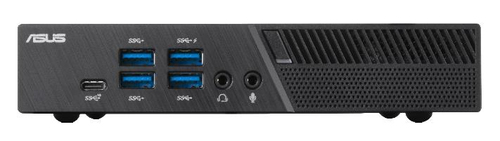
When diving into the nuances of the Simply NUC 910-Z7H5-091 versus the ASUS PB50-BBR008MD, there's much to dissect. The Simply NUC charms users with its small size paired with impressive performance capabilities—ideal for modern business setups demanding robust processing power in a compact design. On the flip side, ASUS stands out with its graphic prowess and stellar display support—tailor-made for media-rich activities and tasks focused on visual fidelity.
Both options are quite formidable, but your needs will ultimately dictate the best fit for your workspace. Whether it's the advanced features of the NUC model or the graphic advantages of the ASUS, selecting the right device is all about matching performance with your specific use cases. For more details about ASUS' offerings, you could check their official website.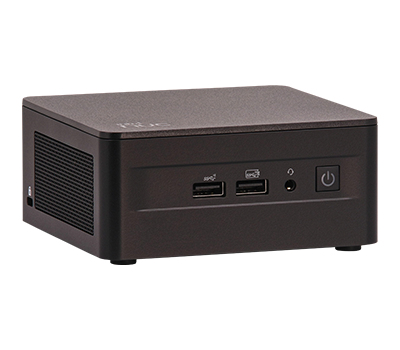
Setting Up Your New Desktop: A Beginner's Guide
So you've got a new desktop—congratulations! Let's get it set up. First, find a solid spot with good airflow to keep things cool. Next, plug in those peripherals like your keyboard, mouse, and monitor.
Booting up Windows is a breeze; just follow the on-screen prompts and configure the essentials like date, time, and your Microsoft account. Take a few minutes to set up your favorite security settings, and you're halfway there. Always remember to double-check network connectivity to avoid any snags—wired or wireless, ensure your internet's good to go. Installing essential software comes next; don't skimp on antivirus, and be sure to get browsers and productivity tools in place. And, if you run into any bumps along the way, remember we're a search query away from finding solutions. These small steps will ensure your desktop setup goes smoothly, with minimal hiccups along the way.Conclusion
As we wrap up, it's clear that desktops still pack a punch despite the allure of portable gadgets. Choosing the right tech is about aligning it with your unique needs. While portable devices seduce users with convenience, the raw power and value desktops bring should not be overlooked. If your work environment demands uninterrupted, robust performance—especially in industries with heavy IT reliance—desktops might just be your go-to.
On a personal note, for anyone deliberating their next IT investments, I’d urge checking out our desktop selection guide, as it could illuminate the path forward. While it's easy to be swayed by current trends, examining what truly fits your core requirements is crucial for sustaining both business and personal project success. Let's keep this thoughtful dialogue going as we collectively navigate the best tech choices for 2023 and beyond.Frequently Asked Questions
Common questions about Desktops