Is a Desktop Still Right for Your Business Needs?
In an era dominated by sleek laptops and portable devices, you might wonder if desktops still make sense for business. Yet, with unbeatable performance, endless customization, and their reputation for longevity, desktops can be a savvy choice. This blog dives into why they’re still relevant, explores specific models, and how they can best fit into your business needs.
The Power of Modern Desktops
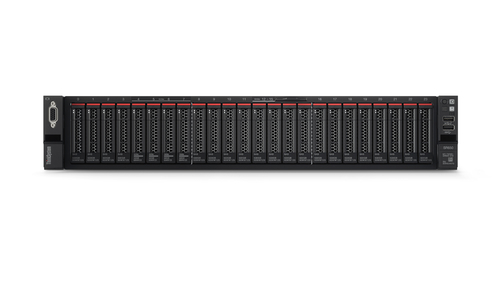
When considering the power of modern desktops, you'd be amazed at the specs they offer. Take the Intel Core i9 or i7 processors, for instance—they’re remarkable for boosting productivity with their unmatched processing capabilities. Typically, these desktops also feature the latest DDR5 memory, enhancing speed and efficiency, making them robust companions for any intensive business tasks. With storage options ranging from expansive HDDs to rapid SSDs, there’s a fit for every requirement.
While laptops are catching up in power, desktops generally outshine them in reliability and longevity. They’re designed to handle more varied workloads and often feature better cooling, which is an overlooked advantage in high-performance environments. Maintenance is typically easier, too. Components are more accessible and interchangeable, reducing downtime during repairs or upgrades. So how does this translate into day-to-day business operations? Imagine swift, lag-free multitasking even with demanding software applications—essential for roles involving data analysis or content creation. Desktops offer a seamless experience that, once you’ve tried it, might leave you wondering how you coped with anything less robust. Tap into these possibilities and elevate your business tech game.Value Proposition: Desktops vs. Laptops
When it comes to value, desktops shine brightly with their cost-effective nature. Typically, desktops provide more performance per dollar spent compared to laptops—a crucial consideration for IT budgets. Investing in a desktop can save money long-term, thanks to their durability and upgradability. How many laptops from five years ago are still going strong today? In contrast, desktops are designed for longevity and gradual upgrades, like swapping out RAM or storage as needed.
I recall a client who spent a tad more upfront on desktops, yet saved over 30% in ongoing costs within a year. This isn’t just a rare anecdote; market data supports this trend. Of course, laptops have their place—especially for roles demanding mobility. Companies need to weigh these needs against performance demands, often finding a mix of both is most beneficial. Desktops also excel in compatibility with heavy-duty software. Whether it’s engineering applications or creative tools, the computing muscle desktops offer is typically ideal. And when you consider integrating them with various software solutions, the choice becomes even clearer.Use Cases: When a Desktop Is Your Best Choice
Desktops truly shine in scenarios demanding heavy-duty computing. Picture a bustling design or video editing firm where performance isn’t just nice to have—it’s essential. Desktops in these environments enable rapid rendering and efficient processing of graphics. Industries like software development and engineering gain value from desktops’ robust architectures, ensuring seamless operations and project deliveries.
I’ve worked with firms who opted for desktops as the backbone of their operations. One such company leveraged high-performance systems to support its intense data analysis tasks, from running simulations to processing complex algorithms. This setup isn’t just about speed; it’s about reliability day in and day out. Such scenarios underscore why desktops remain favorites in environments that push technology to its limits. Using desktops as business hubs is another common use. They’re often configured to support multiple monitors, dedicated to creating expansive and efficient workstations. In terms of setting up secure networks, desktops provide the stable foundation critical for safeguarding sensitive data. This versatility is why, in many industries, they’re still considered indispensable.The Flexibility and Customization Advantage
Desktops bring a unique advantage with their flexibility in customization. Unlike their portable counterparts, desktops allow varied configurations, matching specific business needs quite aptly. Imagine tailoring a machine with precise RAM, processor, and storage based on what your tasks demand. Whether setting up virtual office environments or 360 Virtual Rooms, desktops cater to diverse needs effortlessly.
I have seen setups where the ergonomic design of a desktop was pivotal in workforce productivity—a consideration often overseen but incredibly impactful. Creating efficient workstations means modifying layouts, adding peripherals, or changing internal components—all feasible with desktops. However, it’s crucial to evaluate your tech requirements beforehand. Avoid common pitfalls during setup: mismatching your components with your needs, or ignoring future scalability. When business needs evolve, desktops can more readily adapt without complete overhauls. Think of them as pieces of a puzzle you get to put together, ensuring every piece fits your unique organizational landscape. Achieving alignment with your business technology strategy can prove vital for long-term success.Comparing Lenovo's Latest Offerings
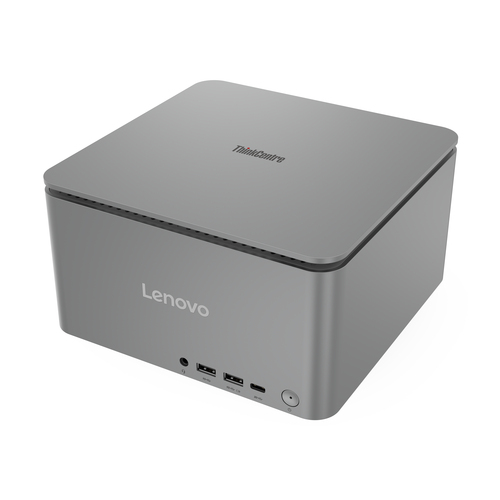
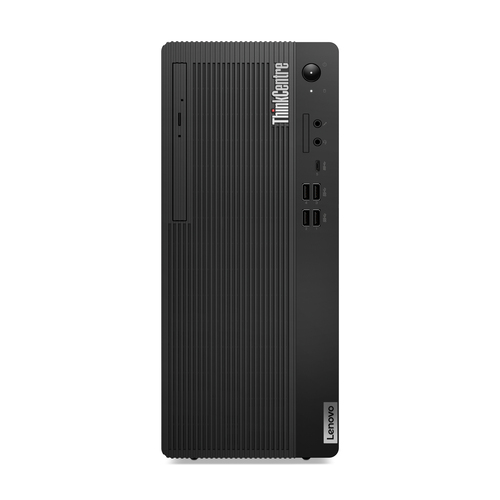
Consider the Lenovo ThinkCentre M90q Gen 5 Mini PC versus the Lenovo ThinkCentre M70t Gen 5 Tower PC. Their differences lie in processing power, RAM capacity, and physical design. The M70t boasts more robust AI capabilities, making it well-suited for demanding applications like data processing in sizeable enterprises. Meanwhile, the compact M90q is a suitable option for cramped office environments where every inch matters.
When weighing choices, the M90q offers efficiency in smaller spaces—ideal for businesses needing to maximize office layout. On the other hand, the M70t provides more extensive service capabilities with its advanced features. Employing the right desktop for your business can make all the difference, maximizing both productivity and space.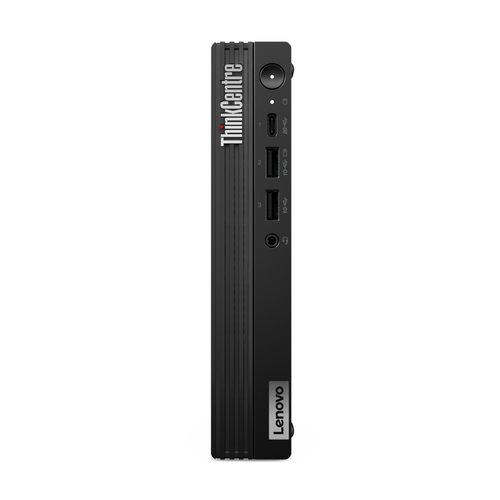
How to Select the Right Desktop for Your Business
Start with assessing your business needs alongside budget constraints. Critical steps involve evaluating your processing needs, memory, and storage, ensuring alignment with your company's size and industry specifics. For example, a graphics-heavy task would thrive on a desktop with a powerful processor and ample RAM.
Pro tips include exploring deals from trusted vendors, such as Lenovo, especially those offering trade-in offers or bulk discounts. It’s wise to future-proof your investment. Choosing hardware that accommodates growth means fewer headaches down the line. Customization strategies should be part of your decision-making, focusing on components that prioritize efficiency. Remember, the ultimate goal is to select a desktop that works not just for today, but for where your business is headed.Conclusion
In weighing desktops versus laptops, key aspects stand out. Desktops offer undeniably superior power, cost-value, and customization. But sometimes, the choice isn’t clear-cut. Ask yourself: what's the long-term strategy for your business's IT infrastructure? Desktops paired with cloud solutions could provide the resilience you need. From my own experience, investing a bit more now often pays off over time.
You might wonder how these devices align with your strategy—consider how a robust desktop setup can seamlessly support your evolving business needs. Why not explore what desktops can offer your business? Make informed choices today for growth tomorrow.Frequently Asked Questions
Common questions about Desktops