
Which Laptop Best Fits Your Business Needs?
Imagine this: you're just about to connect to a crucial virtual meeting when your laptop decides to freeze. Finding the perfect business laptop isn't just about specs—it's about ensuring reliable performance when you need it most. Understanding technical specifications is key, as they directly impact work efficiency and productivity. Let's explore the essential features, benefits, and use cases to help you make an informed decision on the best laptop for your business needs.
Essential Features Every Business Laptop Needs
When it comes to deciding which laptop is best suited for business, understanding core features like the processor, RAM, and SSD is crucial. The processor, often referred to as the brain of the laptop, dictates how fast and efficiently your device runs. For instance, an Intel Core i5 or i7 processor is typically recommended for business users who need a balance of speed and power without excess energy consumption. RAM, on the other hand, affects your laptop's multitasking capabilities; 8GB or more RAM is usually optimal for business applications to prevent slowdown during demanding tasks.
Solid-state drives (SSDs) have largely replaced traditional hard drives for most professional applications. They're faster, more reliable, and less prone to mechanical failure than their HDD predecessors. This means quicker boot times, faster file access, and overall enhanced productivity. Plus, when you're constantly on the move, every second counts. Technical jargon can sometimes make these choices feel overwhelming. For example, Wi-Fi 6 might sound like just another buzzword, but it plays a significant role in connectivity, especially in crowded networks. It offers faster data transfer speeds and better performance across multiple connected devices, making it indispensable in today’s work environments. For more on this, Our IT products guide delves deeper into overlooked essentials that can make a big difference.Balancing Performance with Portability
Let's face it—lugging around a heavy laptop isn't ideal for anyone with a busy schedule. Portable options like the Surface Laptop Go 2 make it possible to move without sacrificing performance. These laptops are sleek, lightweight, and designed for professionals who are always on the go. But does portability mean you have to give up essential features? Not necessarily. Today's laptops offer robust performance in compact designs, allowing you to attend meetings, edit documents, or even give presentations right from your device.
Portability is not just about the device's weight—it's about its form factor and battery life too. A lighter laptop is great, but if it's constantly tethered to a power outlet, it defeats the purpose. The Surface Laptop Go 2, for instance, strikes a good balance with its lasting battery life and high-quality 12.4-inch touchscreen, which provides excellent resolution for presentations or video calls. Picture this: you're jumping from a client meeting to a café to get some work done. In such scenarios, a portable, high-performing laptop can indeed make all the difference. Having suffered from shoulder aches myself due to heavy laptops, I often recommend opting for designs that offer convenience without compromise. And remember, it's not just about how much the laptop weighs but how seamless your workflow can be across multiple environments.How Business Laptops Enhance Productivity
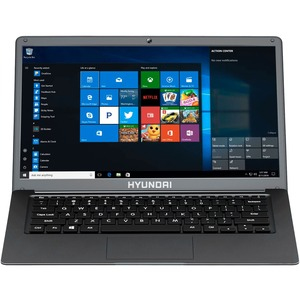
In my experience, a well-chosen business laptop can significantly boost productivity. Take the Hyundai HyBook, for example. Designed for efficiency, it comes with Windows 10 Pro, a feature-rich operating system tailored for professional use. It offers advanced security and seamless collaboration features that most business environments demand.
Real-world scenarios often demonstrate how crucial it is to have the right equipment. Consider running specialized software like AutoCAD or heavy analytics programs—they require more than just basic hardware. With the Hyundai HyBook's powerful CPU and ample RAM, these programs run smoothly, ensuring you aren’t wasting time waiting for pages to load or processes to complete. For those interested in optimizing their workflow further, consulting our software configuration techniques could offer additional insights. It's fascinating how technology can streamline our workflows. By automating routine tasks and offering tools for instantaneous communication, today’s laptops enable business-minded individuals to focus more on strategic goals rather than technical glitches. And while the conversation often gravitates towards specs, it’s also about the quality of the outcome—something that should never be compromised, especially in professional settings.Versatility in Laptop Connectivity
Connectivity options are often overlooked, yet they're a cornerstone of any productive business laptop. Think about your regular workday: you might need to connect an external monitor for a presentation or a USB device for data transfer. That's where ports like USB-C and HDMI come into play. They offer flexibility and support various peripherals, making your laptop a versatile workhorse.
A seamless connection can be the difference between a smooth-running meeting and a tech disaster. In scenarios where wireless connectivity is crucial—like streaming a live presentation—having reliable Wi-Fi is essential. It’s often these small things that make or break the experience. For further tips on optimizing connections, the post Laptops for Business offers some actionable insights. One often overlooked point is the role of seamless wireless connectivity in workplace efficiency. Imagine downloading a large file moments before a presentation or managing cloud-based software that requires a consistent internet connection. Wi-Fi 6 technology, again, plays an important role here. It assures stronger network connections and faster internet speeds, enabling smooth real-time collaboration.Product Comparison: Surface Laptop Go 2 vs. Hyundai HyBook
Comparing the Surface Laptop Go 2 with the Hyundai HyBook reveals distinct strengths tailored for different needs. If you're someone who prioritizes portability, the lightweight and compact design of the Surface Laptop Go 2 stands out. It packs a punch with a responsive touchscreen, making it ideal for dynamic work environments where you need to interact directly with the display.
On the other hand, if affordability is a key factor, the Hyundai HyBook is a solid choice without sacrificing essential performance features. It often comes with a more robust processor, catering to those who may require heavier data processing. Its non-touchscreen design is practical for users who rely on keyboard shortcuts and prefer traditional navigation. Both laptops excel in remote work and business presentation scenarios, but your choice would depend on balancing cost and convenience. It's all about understanding which features align with your specific use case and professional demands.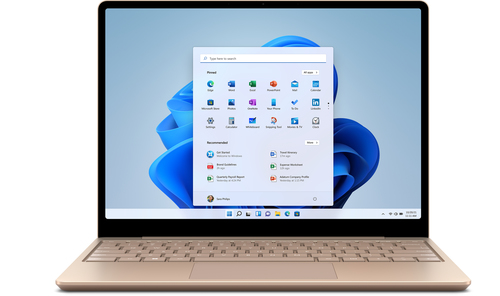
How to Maximize Your Laptop's Potential
Maximizing your laptop's potential isn't just about what you buy; it's about how you use it. Start with setting up cloud storage, like OneDrive or Google Drive, to ensure your files are always accessible and secure. Arrange your workspace ergonomically, adjusting your chair and table to maintain good posture, which can improve focus and productivity.
Managing software updates is crucial. Set your laptop to automatically update, ensuring you always have the latest features and security patches. A well-organized digital space—where files are systematically categorized—will further streamline your tasks. Battery life is an ongoing concern, but having a consistent practice can help extend it. Employ simple tricks like dimming your screen and closing unused applications. For step-by-step software configuration techniques, integrating these practices could significantly enhance your daily productivity. By focusing on these strategies, you enhance not just the device's performance but also your overall workflow. It's about creating a system that works for you, ensuring every feature serves a purpose in your professional life.Conclusion
Choosing the right business laptop comes down to balancing features with real-world usability. Features like processor speed, RAM, and storage types are important, but how they translate into everyday tasks is critical. Your ideal laptop should match your work habits and the specific demands of your business tasks.
It’s essential to prioritize what's important to you, whether that's portability, cost, or powerful processing capabilities. In an era where business solutions are increasingly personalized, understanding your own preferences is more vital than ever. If you're interested in the latest trends or technology suited to your needs, consider exploring Pennsylvania's Online Tech Store. They often have up-to-date inventory and knowledgeable staff to assist in finding a model that ticks all your boxes. Regardless of where your priorities lie, remember that the perfect laptop should empower your work and adapt as your business needs evolve.Frequently Asked Questions
Common questions about Laptop
