How Do You Choose the Perfect Desktop PC for Tech-Savvy Users?
Desktop PCs, despite the rise of portable devices, hold a special place in technology solutions. They often offer unmatched power and customization options. Whether you're in need of IT products for business or personal use, choosing the right desktop can be daunting. In this post, we’ll guide you through the maze of options so you make a savvy choice.
The Powerhouse: Understanding Desktop Specs
When examining desktop specs, processors like Intel Core or AMD Ryzen are where you should start. Their clock speeds significantly impact multitasking efficiency—faster speeds usually mean more agile performance. Now, take RAM into account; while DDR4 was the gold standard, DDR5 is now taking the reins with higher bandwidth and speeds, crucial for managing today’s memory-heavy applications.
Not to be overlooked is storage. The battle between SSDs and HDDs is all about speed versus capacity. An SSD offers quicker boot times, which can be a game-changer for productivity. Meanwhile, HDDs provide more storage at a lower cost—perfect if you have lots of large files to store. In a business setup, these specs aren’t just numbers—they translate directly into faster loading times and smoother operations. Finding a balance in these areas typically caters to most tech needs: be it day-to-day office tasks or intensive gaming sessions. Of course, if you're diving into graphic design or video editing, you might crave those beefier, advanced configurations we hear about. It's about aligning your desktop’s capabilities with how you actually use the device. In my experience, investing in a bit more RAM often pays off in the long run, even if it means tightening the belt initially. Remember, your specs should reflect your primary uses, and not add extras you'll never touch.Why Desktops Still Reign Supreme
Even with the lure of laptop mobility, desktops offer unmatched performance per dollar. Typically, they pack more power and have superior customizability—think of it like tuning a car to fit your unique needs. Plus, they usually have better cooling systems, which is vital when pushing your hardware with intensive tasks like video rendering.
What about upgrades? You can't beat a desktop when it comes to future-proofing with added RAM or an SSD swap. Businesses, in particular, find desktops invaluable for demanding applications that require reliable performance across multiple screens—talk about enhancing productivity! Another worthy point—desktops fit seamlessly into any 360 Virtual Room setup. That’s not just management speak; having a powerhouse PC integrate effortlessly into your workspace is golden. In particular, when someone's been neck-deep sorting IT solutions (like I have), desktops demonstrate their sheer value by shouldering the heavy loads without batting an eye. This performance focus is why desktops often remain the top choice for IT environments. Having cooler, quieter operations translates into less noise distraction and more efficiency. From my perch, that's a significant win any day.Choosing the Right Model: One Size Doesn’t Fit All
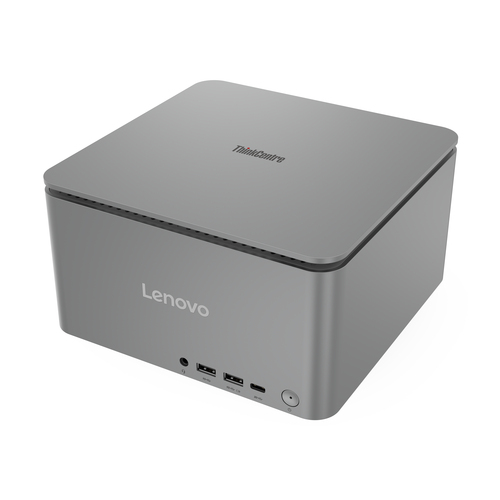
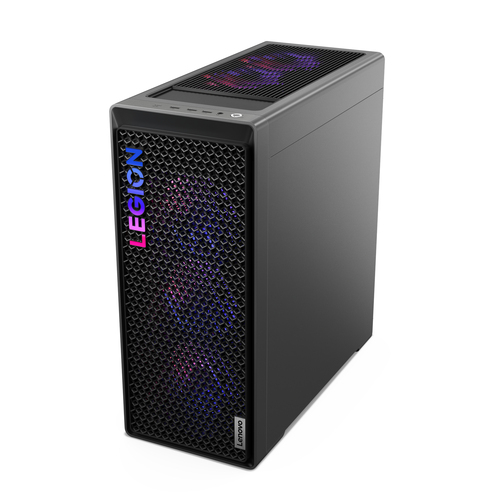
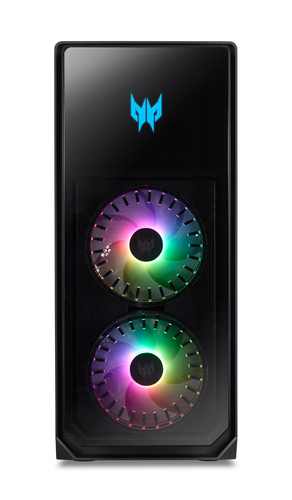
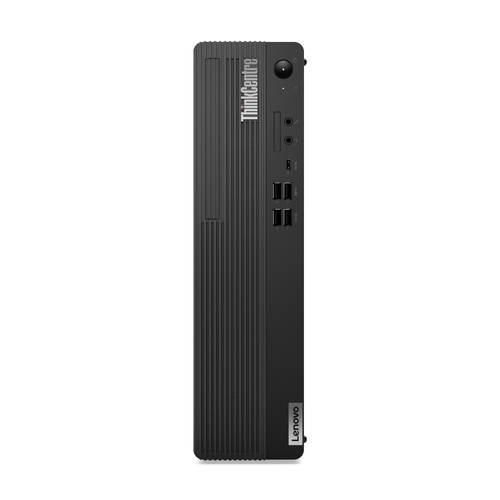
Let's get candid about needs—desktop choices aren't one-size-fits-all. For those low on space, compact mini PCs like the Lenovo ThinkCentre become delightful solutions, offering solid power in petite frames. Meanwhile, tower PCs present an entirely different flavor with greater expandability, perfect for the tinkerers among us who see potential upgrades in the horizon.
Then there’s lifestyle. Gaming enthusiasts’ demands aren’t the same as a family’s or a video editor’s. Each has unique needs: the gamer seeking jaw-dropping graphics, the family hunting stability and shared experiences, and the editor needing those smooth, seamless transitions during playback. The twin strategies of needing a robust workhorse or a versatile media hub mean there’s literally something for everyone. That’s the magic in desktop configurations—they can adapt to fit the scene. I’ve often found that for business tech needs in varied environments, Pennsylvania or otherwise, the right desktop feels almost tailored. It’s crucial we acknowledge the diversity in available choices. It’s all about a deep dive into what complements not just our workflow but also arguably becomes a quiet partner in our everyday tech errands.Thoughtful Design and Ergonomics
Sometimes in tech, design gets overshadowed by specs. But it's not just about sleek lines; it plays deep into functionality and comfort. Dive into a well-designed desktop—excellent cable management becomes a bona fide charm, simplifying even the tidiest workspace into an online tech store’s dream.
Ergonomics can’t take a backseat either. With monitors set at the proper height and keyboards just right, we can dodge some common strains or discomforts. Think about it, maintaining user comfort translates into productivity, especially during long IT service shifts—a deal breaker for many. What I’ve discovered efficiently in my years is the emphasis on user-centric functionality. Whether we talk about the ergonomic excellence or merely surrounding ourselves with tech that prioritizes usability, these small tweaks in setup are clutch. It’s about setting your environment for peak efficiency; keeping ergonomics front and center promotes well-being, proving a valuable ally when it matters most. It's that understated part of our tech experience often overshadowed by flashier specs, but its value asks to be recognized.Head-to-Head: Lenovo ThinkCentre vs. Dell Pro
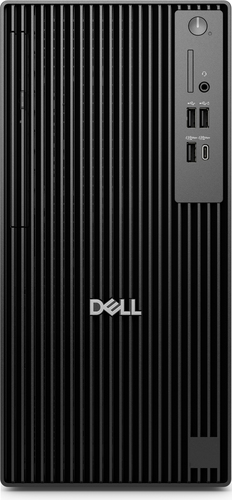
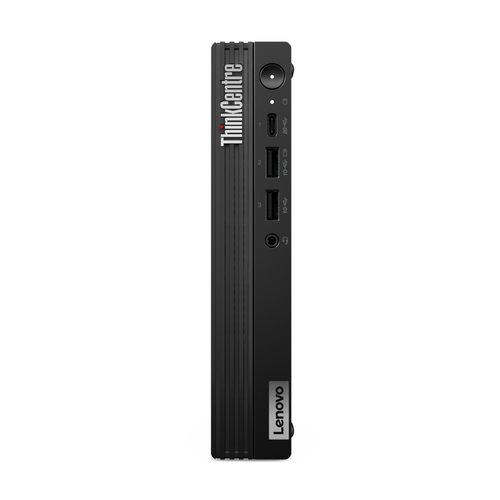
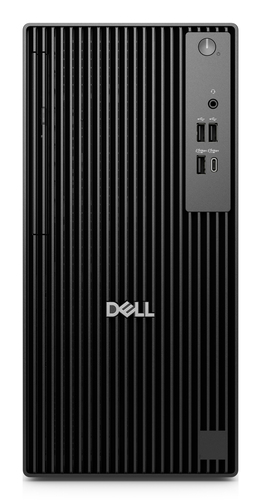
The Lenovo ThinkCentre M90q Gen 5 packs a punch with its compact size and 2.6 GHz Intel i5 processor, making it ideal for small spaces. Meanwhile, the Dell Pro QCT1250 offers 512 GB SSD—a boon for data-heavy tasks. If you’re navigating cozy offices, Lenovo’s mini-form is a savior that saves space. On the other hand, Dell’s tower supports more hardware expansions, catering beautifully to evolving business tech needs. This duality means you can effectively cater your desktop environment to whatever your specific tech demands require. It's these tailored differences that often echo overarching philosophy resonances in business.
How to Set Up Your Desktop for Maximum Efficiency
Setting up involves more than plugging in. First, choose the right location with ample cooling. Heat can be your desktop’s nemesis, so space that promotes airflow is essential. Next up: cable management—simple cable ties make a world of difference in achieving a tidy wiring solution.
Let’s talk software. Essential installations include firewall and antivirus for security. These steps should start the setup journey on the right path. Don’t forget ergonomic setups: monitor level aligning with your gaze, keyboard resting at elbow height—it’s the trifecta of maintaining comfort. Regular software updates prevent vulnerabilities—a key in maintaining tech infrastructure. Consider this your tech toolkit for maximizing desktop usage efficiency.Conclusion
Selecting a desktop isn’t just about specs; it’s an investment in productivity and comfort. Evaluating how features meet your needs—be it for business or media creation—adds significant value. Desktops from Lenovo and Dell often stand out for their reliability in tech for business. In my experience, skipping bells and whistles in favor of core features usually offers the best value. Remember to factor in upgrade potential and ergonomics as central players in this selection game. Ultimately, the goal is to ensure your desktop aligns perfectly with use-case demands. This careful choice process can transform computing experiences, encouraging more efficient workflows. Let function above form guide your decisions today!