Why Choose Desktops in a Portable Age? Uncover the Benefits
In an era where portability often steals the spotlight, desktops quietly hold their ground as powerhouses of the IT realm. So, why do they persist when tablets and laptops seem more versatile? It's about leveraging desktops' superior performance, cost benefits, and versatile applications that portable devices can't always match. Join me on a journey as we compare and contrast desktops with their portable peers, unraveling the reasons why they remain indispensable in today's business landscape.
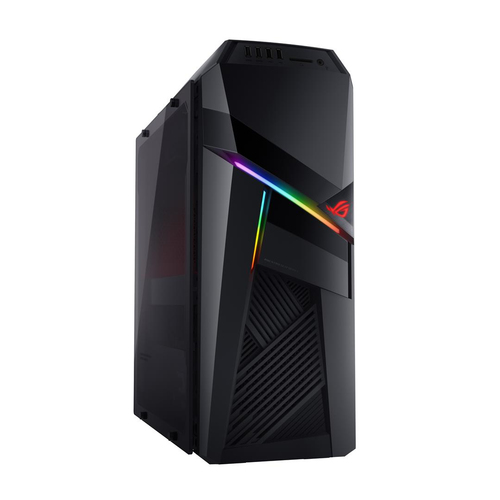
Unmatched Performance: Desktops Deliver More Power
Desktops stand out with their robust hardware configurations, featuring powerful processors and capacious RAM. For instance, Intel® Core™ i5 processors are a common choice, offering a mix of efficiency and power that fuels demanding tasks effortlessly. When handling heavy computations or running graphic-intensive software, desktops usually don't sweat it. You might recall times when your laptop chugged through a large data set.
On a desktop, the experience is typically more fluid—freeing you from the endless buffering circle. Having a larger RAM capacity also means desktops can accommodate more applications running simultaneously. Multi-tab browsing while editing a high-resolution video? Not a problem. My experience suggests that desktops often shoulder multitasking needs, providing computational freedom. This freedom brings us to the core benefit: performance. Desktops offer room for expansions and upgrades. Unlike laptops, you often find fewer bottlenecks in desktops thanks to components like discrete graphics cards and spacious drives. It's this adaptability that often attracts performance-loving enthusiasts and professionals. If you think deeper about it, a desktop's architecture supports complex environments that crave power. Check out our category page for more on desktops' power.The Cost-Effectiveness of Investing in a Desktop
One might overlook the economic allure of desktops, particularly for businesses looking to maximize budgets. Initially, desktops typically have a lower upfront cost than laptops with similar specifications. It's partly because you aren't paying for miniaturization—a big part of what makes laptops more expensive.
Owning a desktop can translate to substantial savings over time. These workhorses often outlast their portable peers, thanks to their ability to upgrade components like RAM, hard drives, or graphics cards. You get to extend their functional lifespan rather than replacing them entirely. It's a bit like refreshing rather than fully restoring. Speaking from experience, businesses find desktops' longevity appealing, especially when the goal is reliable performance without repeated replacements. Another aspect worth considering is sustainability. Instead of discarding whole systems and contributing to e-waste, upgrading desktop parts can be a greener choice. In a sense, desktops provide a more environmentally friendly tech solution, reducing the frequency and scale of electronic waste. When businesses consider the long-term outlook, it turns out desktops offer not just initial savings but ongoing value through manageable upgrades.Versatility in Design and Use Cases
With desktops, customization reaches new heights. It's akin to a chameleon adapting to its environment, tailored precisely to handle specific tasks. Businesses in fields like graphic design or server management find this adaptability crucial. Each project is unique—designers might tweak GPU settings, while a server manager might prioritize additional RAM. In essence, desktops can mimic virtually any specialized requirement, thanks to their modular design.
There's something satisfying about knowing your machine grows with you. In my work, setting up desktops for diverse needs provided first-hand insights into achieving a balanced configuration. It can feel like solving a beautiful puzzle, aligning components just right. Tools like BIOS settings and airflow adjustments further optimize these setups, transforming them to meet various professional functions. The fine-grained adaptability of desktops means they cater to unique business demands effortlessly. Real-world scenarios highlight how businesses optimize desktops for multi-user environments and specialized tasks. For instance, using high-end workstations for animation studios has become a game-changer, allowing for seamless rendering and editing processes. Understanding these customization pathways can empower businesses to tailor their IT solutions effectively.Portability vs. Stability: The Desktop Advantage
On one side, you have the allure of portability—laptops and tablets that travel wherever you do. On the other side, you have the steadfastness and stability that desktops offer. It’s easy to get tempted by the flexibility of grabbing your tech and moving to a favorite coffee shop. But what happens when uninterrupted operations or substantial processing power is key?
Desktops are invaluable in scenarios where relocating devices isn’t a priority. Imagine an IT service that needs equipment running 24/7 without a hitch—for them, desktops are the only viable option. Their ability to consistently deliver performance day in and day out is reassuring. If you've ever worked in environments where downtime could cost you clients or contracts, you understand the stakes. In business setups where stability, longevity, and network robustness are essential, desktops shine. A local business might leverage desktops as central hubs of operation, controlling networks and databases without worry about a limited battery life. Thus, while hybrids and ultraportables have their niches, the reliable desktop remains an unshakable cornerstone for specific tech needs.Comparing Desktops: Lenovo vs. Acer
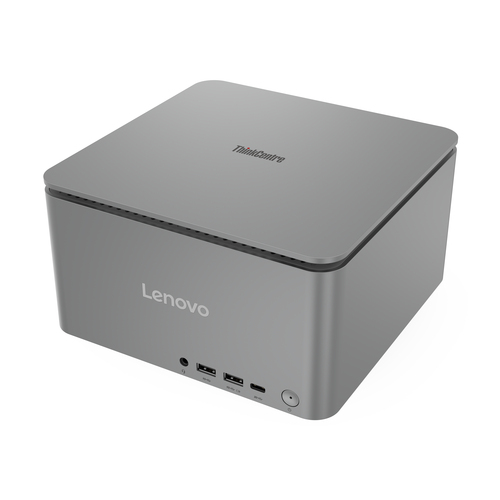
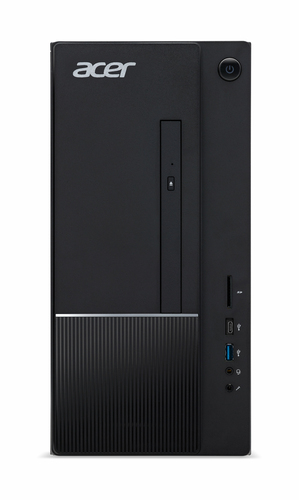
When considering desktops for business tech needs, options like the Lenovo ThinkCentre M70s Gen 4 and Acer Aspire TC-1775-UR11 come to mind. They serve distinct user preferences—Lenovo's option offers processor speed with Intel® Core™ i5 i5-13400, while Acer brings its own with i5-14400. The RAM differences also dictate usability; Lenovo's 16 GB DDR4 against Acer's 8 GB DDR5 dictates how smoothly systems run under intense demands.
Workspace considerations also play a role here; the Lenovo model can be ideal where higher multitask capacity is essential, making it well-suited for demanding tasks. Meanwhile, Acer’s model might appeal where frequent media consumptions and lighter tasks are the norms. Understanding these nuances helps in selecting the best fit. Each has strengths enhancing specific business scenarios, ensuring tech solutions align with operation demands seamlessly.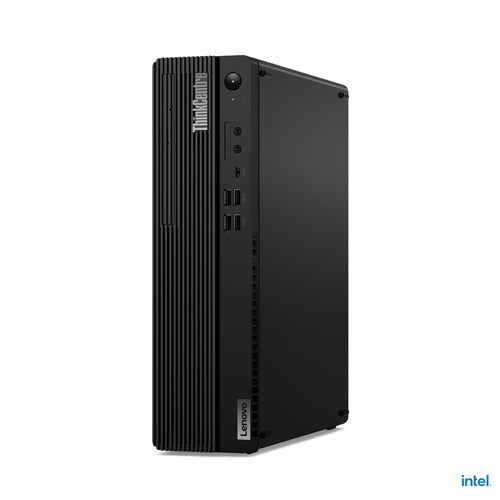
How to Maximize Your Desktop's Potential
Optimizing your desktop involves a bit of foresight and setup magic. Step one is ensuring your machine has optimal airflow—position it in a space where vents aren't blocked and dust accumulation is minimal. Delve into BIOS settings; users can tune system parameters for efficient performance here.
Employ maintenance software to keep everything shipshape. Items like driver updates are key—overlook them, and performance might just take a hit. Taking a proactive approach with upgrades occasionally could also be beneficial. Consulting an IT expert might be worthwhile before new additions to your system are considered, to ensure compatibility and no tech hiccups down the road. A common mistake? Letting clutter pile up in digital or physical spaces, both slow your system down. Streamlined workspace and organization can significantly enhance operational productivity.Conclusion
In drawing all elements together, the reasoning behind choosing desktops becomes clearer. From superior performance capabilities to cost-effectiveness, these stationary giants have benefits that manifest over time. Have you pondered which technology truly meets your IT needs? For tasks requiring substantial processing power or sustained performance, desktops typically stand out.
While laptops capture the imagination with their mobility, it's often the desktop that delivers a steady, unwavering service for in-depth hardware tasks, ensuring reliability without compromise. Personal experience tells me desktops usually strike a balance for strategic investments, making them desirable for specialized roles in business settings. The insights gathered here, alongside your personal tech considerations, can guide your decision-making process. Find more detailed guidance on Lenovo's website where they've crafted solutions to meet evolving demands.Frequently Asked Questions
Common questions about Desktops