
Is Your Laptop Keeping Up? Unraveling the Secrets of Performance and Portability
In today's fast-paced digital world, our reliance on laptops is undeniable. Whether for business or leisure, a laptop's balance of performance and portability is key to meeting our diverse needs. But, have you ever wondered if your current laptop is truly up to the task? As technology evolves, so do our expectations and requirements. Let's dive in and see if your device is keeping pace or if it's time to explore new possibilities.
Unpacking Performance: What's under the Hood?
When it comes to laptop performance, several components play pivotal roles. At the heart of the matter is the processor—commonly referred to as the CPU. For instance, Intel's range of processors, from the i5 to the i9, offers different capabilities depending on your needs. The i5 is usually sufficient for typical tasks like browsing or document editing, offering a decent balance of power and cost. In contrast, an i9 is tailored for more demanding applications like video editing or gaming, delivering powerful multitasking capabilities.
Then there's memory or RAM, which significantly affects a laptop's ability to handle multiple applications simultaneously. An 8 GB DDR4 might suffice for everyday tasks, but for seamless performance in demanding scenarios, a 16 GB LPDDR5 would be ideal. It’s often said that more RAM typically equates to smoother performance, especially if you're the type to keep dozens of tabs open at once. Once you've identified your needs, matching them with the right specs becomes the game. Whether you're a student who needs a reliable partner for assignments, a graphic designer requiring high-performance tools, or simply someone who enjoys multitasking with fluidity, understanding your use case is crucial. For a deeper dive into processor and RAM specifications, explore our detailed guide on laptop choices for business.Portability: More Than Just Weight
Portability goes beyond just how lightweight a laptop is. Sure, size and heft play a role, but true portability is about freedom and flexibility. When I think about traveling with my laptop, I’m often reminded of the hassle of finding power outlets in airports—this is where battery life becomes paramount. A laptop with at least 8-10 hours of battery can make the difference between constant charger-hunting and genuine portable use.
Also, consider durability. Laptops designed with tough materials, like aluminum chassis, withstand knocks better than plastic ones. This durability is particularly valuable for those frequently on the go or working in varied conditions. Connectivity, too, often flies under the radar but is vital. Imagine being restricted by sluggish internet connections; newer options like Wi-Fi 6E present enhanced speeds and broader bandwidth, improving the mobile experience. From personal travels through business trips to simply moving from your home office to the local cafe, a portable laptop can make a world of difference. Investing in tech that offers these benefits ensures you have a reliable partner wherever you set up shop. For insights into optimizing your laptop for portability, visit our comprehensive guide on laptop accessories for productivity.The Power of Display: A Clear View
A laptop's display can significantly transform your computing experience. Full HD screens are common these days, providing clear visuals for general use—whether you're browsing or streaming your favorite shows. But if you're in the design field, a 2.8K OLED display delivers brilliance unparalleled by Full HD. Colors pop, and the contrasts are sharper, making tasks like photo editing more precise and enjoyable.
It's not just about beauty, though; ergonomics matter too. Poor screen quality can lead to eye strain, headaches, and reduced productivity. As someone who spends considerable hours in front of the screen, I've found that investing in a quality display pays off in comfort and efficiency. If your work involves detailed visuals, prioritizing a superior display could be crucial. Meanwhile, technology isn't stagnant. Innovations continue to evolve screens, offering higher resolutions and better battery efficiencies. Considering these advancements when choosing a laptop can enhance your experience today and keep you ahead of the curve tomorrow. To see which displays might fit your needs, check out our top picks and features in laptop displays.Balancing Cost and Value
When it comes to laptops, price is often a decisive factor—but value is what truly counts. A premium laptop with high-end features might seem appealing, yet isn't always what you need. Remember, it's about matching features to your real-world applications. There have been times when I've splurged on top-notch gear, only to realize those features remained underutilized.
However, there are moments when spending on high-performance specs was undeniably justified. For example, a laptop with solid state drive (SSD) offers faster boot-up and data retrieval—benefits worth the price for heavy users. The art lies in discerning when to invest in premium components and when basics will suffice. One strategy is to list out the features most beneficial for you. Are you a creative professional who can justify the cost of an advanced GPU, or does your work involve simple word processing where such equipment isn't necessary? It's entirely okay to adopt a flexible approach. You can compare more insights about top business laptops to help tailor your choices appropriately. The goal is to prioritize features that will serve you in the long run, ensuring you're not just buying a laptop, but securing a great companion.Acer Swift 3 vs. ASUS Zenbook 14: Which Suits You?
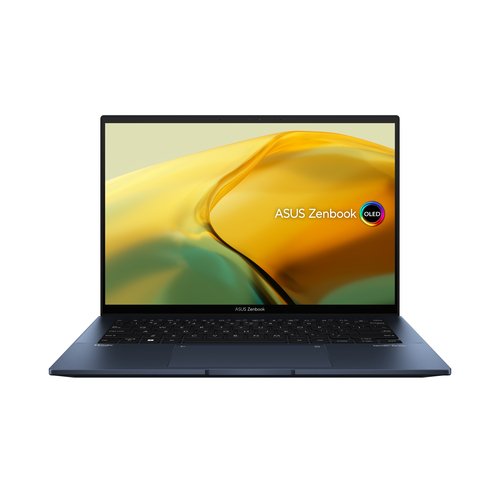
Let's compare two fantastic options: the Acer Swift 3 and ASUS Zenbook 14. Typically, the Acer Swift 3 is known for reliability and affordability—an appealing choice if budget constraints are top of mind. It's perfect for students or those seeking dependable performance without breaking the bank. On the other hand, the ASUS Zenbook 14 brings elegance and cutting-edge tech, like an OLED display and robust build quality, ideal if you're in innovation-driven industries.
Both offer impressive portability, but the Zenbook usually edges out with a more refined design and features. Of course, weighing these elements against the price can be the deciding factor. To examine the Acer Swift 3 in detail or discover more about the ASUS Zenbook 14, see their respective features and decide which aligns better with your needs.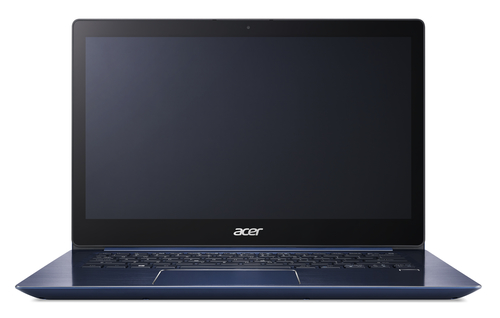
Setting Up for Success: A Quick Start Guide
When you first unbox your laptop, taking a few foundational steps can set you on the path to success. Begin by installing essential software. This could be office applications for productivity or specific tools for remote work setups. Don't forget updating your operating system and drivers—these updates often patch vulnerabilities and improve performance.
Setting your power preferences is next. Optimizing battery settings can extend usage away from chargers. For remote work or college semesters, configuring these ensures you maximize daytime usage. During my transition to working from home, adjusting these settings provided noticeable differences. Maintenance is key to sustaining performance. Regular updates and occasional clean-ups—reinstalling the OS or clearing junk files—keep things smooth. To maintain peak performance, a few minutes invested in regular maintenance could save a lot of hassle down the road. Explore our setup guide that dives deeper into sustaining optimal laptop performance.Conclusion
In a world where tech is always evolving, choosing a laptop that aligns with your goals is vital. Make sure your choice encapsulates not just your present needs but anticipates future demand too. As we’ve explored, each aspect—performance, portability, display, and value—plays a critical role in making informed decisions.
Remember, industry trends may guide you, but your personal experiences and long-term aspirations determine the best fit. As you select a device to support your journey, weigh the benefits and consider how evolving tech might impact your plans. If you're inspired to seek more tailored advice and recommendations, explore our selection of top laptops to accompany you now and in the future.Frequently Asked Questions
Common questions about Laptop
