
What's the Best Laptop for Your Needs? A Comprehensive Guide
Finding the perfect laptop can feel like navigating a labyrinth, especially with all the cutting-edge technology available today. Choosing the right one often means matching your personal or business needs to specific features. Understanding these aspects not only improves your efficiency but also makes you a savvy tech buyer in this ever-evolving world. Taking the time to make an informed decision is key—it can transform your experience in surprising ways, as we’ll explore.

Understanding Core Features
When it comes to laptops, the processor is like the brain of the operation. You'll typically find two big players: AMD Ryzen™ and Intel Core. Each offers distinct advantages depending on what you're doing—AMD is often praised for multitasking and high-end graphics demands, while Intel is favored for consistent performance across a variety of tasks. Then there's RAM, where you'll often see DDR5 and DDR4 being mentioned. The difference? Speed. DDR5 is newer and faster, enhancing performance, though it might be overkill unless your tasks are demanding.
Next up, we have storage. The eternal debate: SSD or HDD? In my experience, SSDs offer quicker boot times and faster access to files, pivotal for people who juggle numerous files daily. HDDs, however, tend to be cheaper with more storage space—a consideration if budget is on your mind. Ultimately, aligning these specifications with your typical activities—whether it's casual browsing, extensive spreadsheets, or creative projects—sets the foundation for a satisfying purchase. Always check the specs to ensure they meet your functional and performance needs. After all, a well-informed choice bridges the gap between frustration and smooth sailing. And don't miss our category page for more insights.Unpacking the Benefits
Let's talk about benefits—those little features that often make your laptop experience a dream. Take, for example, the battery life some models offer thanks to their AI chips. The AMD Ryzen™ series especially shines here, optimizing power usage so that charge anxiety becomes a thing of the past. A godsend for remote work where outlet access isn't guaranteed.
And then, there's display quality. High pixel density and accurate color reproduction can transform how you perceive visuals, which is crucial if you're into design or simply enjoy crisp movie marathons. Good display quality can often make or break your computing pleasure. Consider connectivity options, too. New standards like Wi-Fi 7 promise faster connections, enabling seamless video calls and large file transfers—imagine smooth sailing during all your Zoom meetings or uploads. Picture being on a business trip relying on your trusty laptop to handle presentations and stream meetings without a hitch—that's when these features truly sparkle. These benefits not only elevate daily tasks but often redefine what's possible in your mobile workspace. Curious about our recommendations? Check the detailed category page for more information.Practical Use Cases
Think about the different ways you use a laptop—whether it's during business meetings, creative projects, or student tasks. Each scenario demands a different set of features. For professionals traveling frequently, portability combined with long battery life is non-negotiable. Imagine being able to complete a sales pitch presentation mid-flight without reaching for your charger.
Meanwhile, those in creative fields might prioritize high display quality and fast processing power for smooth graphic design or video editing. A colleague once shared, "Switching to a high-performance laptop was like night and day for my design workflow." It’s often these specifics that impact how you choose. For students, versatile connectivity and durable build are essentials. Think school cafes or the library, where robust Wi-Fi and a reliable keyboard come into play. Once, during a campus visit, I noticed how the right laptop made note-taking and research less a chore and more a breeze. This versatility often means your laptop becomes not just a tool, but an ally in your daily activities. Interested in exploring more scenarios? Visit our category page for suggestions on optimal setups for various tasks.Weighing Premium vs. Practical
The age-old dilemma: Should you splurge on a premium model or settle for a budget-friendly option? The choice often boils down to what you truly need. High-end laptops justify their price tag with robust builds, faster processors, and often longer warranties. I remember weighing options for a premium laptop—ultimately deciding on it because I needed the speed for rendering videos.
But let's be real: not everyone needs that kind of horsepower. For many tasks, a mid-range device suffices. Why burn through cash when a model half the price gets the job done? Anecdotes from users often suggest considering models with reputable brand support and adequate specifications for your specific needs. Factors like durability—say, water-resistant keyboards—and brand reputation often tip the scales. You might also want to think about the cost of potential repairs. Sometimes, models from well-known brands come with support systems that are hard to beat. Wondering whether to invest? Check feedback on different models, and maybe peer reviews, to guide your choice. Unearthing these insights often helps in navigating the more practical aspects of this decision.Dell vs. Getac: Which Reigns Supreme?
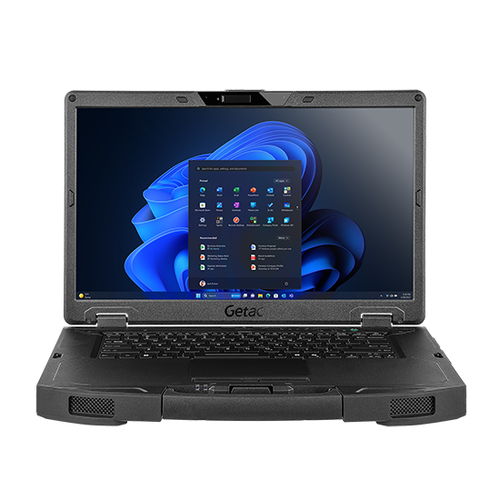
Choosing between DELL Pro 14 Plus and Getac S510 could be quite the challenge. The Dell, with its AI capabilities, proves advantageous for power users who need the extra battery life boost in demanding scenarios. On the other hand, the Getac stands out with its robust design and spacious touchscreen—ideal for fieldwork or outdoor tasks. If you're an engineer needing a reliable device in varied environments, the Getac just might be your match.
However, for office-based roles where performance under pressure is critical, Dell’s AI-driven enhancements could save the day. Interested in how these feature sets compare? Take a look for deeper insights in their respective applications and decide which aligns with your needs.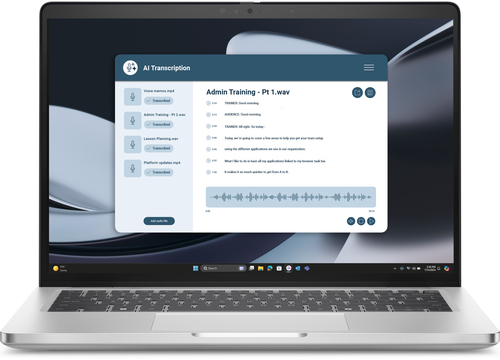
How to Optimize Your Laptop Setup
Starting with a new laptop? Let's walk through some steps: unpack carefully, ensuring no accessories are left behind. Once powered up, the OS setup will typically guide you jazzed up with a friendly wizard. Install core software like office suites or any necessary tools right away. To keep everything running smoothly, spend some time perfecting settings for optimal efficiency—it's worth diving into power and screen configurations.
Want to maintain your battery? Avoid letting it drain completely regularly—think of the battery like a sprinter rather than a marathon runner. Cloud services? Definitely leverage them for backups; it's peace of mind in case things go awry. Ultimately, the goal is to mold your laptop into a productivity machine that suits your personal workflow. Regular updates are key, and don't forget to explore maintenance routines like disk cleanups, because a little upkeep today prevents tech headaches tomorrow.Conclusion
Choosing the right laptop is less about what's best on paper and more about what fits your lifestyle and work demands. Matching specs with your daily tasks ensures productivity and satisfaction. As I often suggest, investing in technology that caters to specific use cases—sometimes highlighted in our discussion on laptops for business needs—is a wise move. That said, don’t hesitate to consult with IT experts if you're unsure.
Whether to go premium or stick with practicality, it's about aligning choices with how you use your laptop. Armed with the right information, you're well-equipped to make a choice that serves you now and adapts with your needs. Ready to explore options? Check our comprehensive category page for a deeper dive into the best choices tailored for you.Frequently Asked Questions
Common questions about Laptop