Are Desktops Still the Best Tech Investment in 2023?
In the rapidly evolving world of technology, desktops have maintained their relevance despite the rise of portable devices like laptops and tablets. Their powerful hardware makes them indispensable across various sectors. As we explore their enduring appeal, we’ll examine the features, benefits, and comparisons that can guide your next tech investment decision.
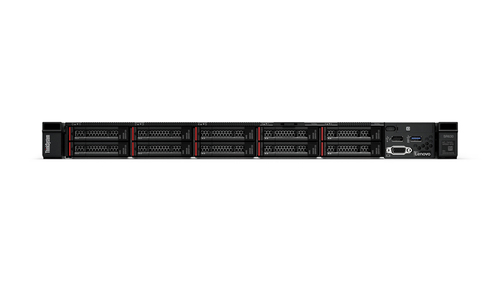
Exploring Desktop Features: What's Under the Hood?
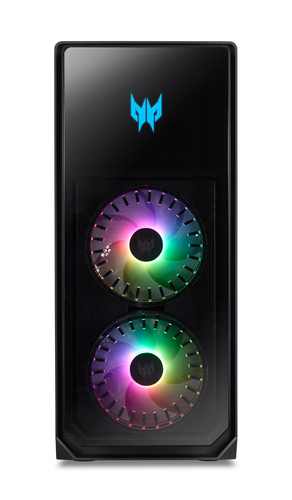
When it comes to raw power, desktops typically reign supreme. They boast potent processors from Intel and AMD, substantial RAM, and vast storage options, which are pivotal for performance. Imagine an Acer Predator stocked with a powerful CPU—its multicore structure easily handles demanding tasks, making it ideal for gaming or video editing.
Desktops are equipped with components that allow for intensive multitasking better than many laptops can manage. For instance, the RAM capacities alone can vastly exceed a laptop’s; it’s often the difference between smooth sailing and laggy performance. Compared to portable counterparts, the standard in desktop technology includes faster processors and larger GPUs—crucial in environments where speed is a priority. This has practical implications for those who may prioritize power over portability. And even as laptops close the gap in processing capabilities, desktops continue to offer unmatched capabilities in terms of customization and power.The Desktop Advantage: Why Bigger Sometimes Is Better
One undeniable benefit of desktops is their raw power, achievable due to their size. You can house more advanced hardware without worrying about space or overheating. Tasks like graphic design and high-end gaming often require this sort of muscle.
In my experience, desktops tend to be more reliable for intensive applications. Take, for example, rendering a complex 3D model—desktop GPUs often handle these tasks with ease while maintaining cooler temperatures. It’s not uncommon to find users who started with laptops, then switched to desktops for the enhanced capabilities despite a loss of portability. Sure, there’s a misconception that desktops' bulky nature is a downside, but this is where diverse solutions enter the picture—think of compact or all-in-one models designed to save space without sacrificing performance. Just because they aren’t mobile doesn’t mean they're not adaptable. When you look at alternatives, each excels in specific scenarios, proving that desktops are not a one-size-fits-all but they might just be the best choice for you.Practical Use Cases: When Desktops Are Your Best Ally
Desktops often shine brightest in scenarios involving intensive workloads, like complex rendering or high-performance gaming. Such applications require the kind of CPU power and GPU efficiency that desktops can uniquely deliver.
For example, gamers who run expansive open-world games with high-resolution assets need the superior graphics and processing power that desktops provide. Meanwhile, professions like architecture and data science often involve heavy computations and simulations, which demand the robust specifications only a desktop can offer. In home offices and creative studios, desktops serve as reliable workhorses, ensuring consistent performance over longer periods, unlike some portable counterparts that might throttle performance due to thermal constraints. When it comes to demanding tasks, desktops ensure that performance is consistent and up to par, often leading to better outcomes and less frustration—a topic covered extensively in various use cases aligned with specific professional needs.Customization and Upgrades: Your Desktop, Your Rules
One of the joys of desktop ownership is the boundless potential for upgrades. Unlike laptops, desktops allow for easy swaps of graphics cards and expansions in both memory and storage.
I recall upgrading my desktop's GPU, breathing new life into aging hardware and boosting performance to handle newer applications seamlessly. This flexibility supports a tailored approach to technology: choose what’s best for you and upgrade as your needs or budget permit. For DIY enthusiasts, assembling a desktop from scratch is an engaging endeavor. On the other hand, pre-built systems offer convenience for those less technically inclined. There are pros and cons to each, but the environment also benefits from upgrades over replacements. Opting to enhance instead of discarding whole systems significantly reduces electronic waste, crafting a sustainable tech story for desktop users.A Head-to-Head: Acer Predator vs. ASUS NUC 15 Pro
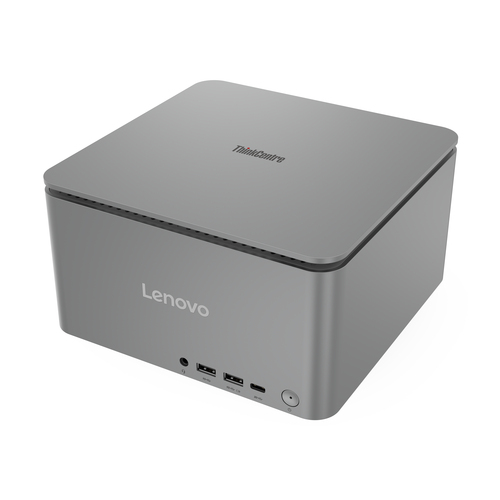
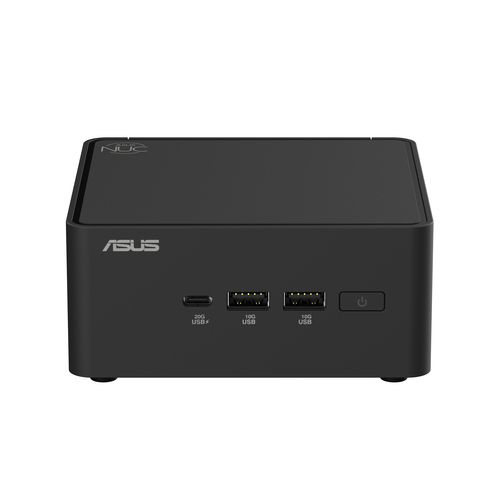
Consider the Acer Predator PO3-620-UR14 equipped with an NVIDIA GeForce RTX 2060 SUPER, delivering peak gaming performance while staying cool under pressure. On the other hand, the ASUS NUC 15 Pro offers a compact design that fits easily in any workspace, ideal for office tasks.
Gamers would typically align more with the Acer Predator for its high frame rates and superior graphics, whereas the ASUS NUC, with its small footprint, serves office users needing robust performance in a tight package. Each holds its distinct place, catering to different priorities.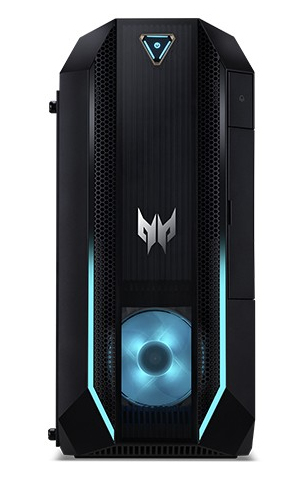
How to Choose the Right Desktop for Your Needs
Start by assessing what you need most: is it raw processing power, or perhaps storage capacity? Setting a realistic budget will narrow down the options whether you value the cutting-edge specs or prefer sticking to essentials.
Understand upgrade paths—can future add-ons maintain competitiveness with evolving demands? Consider spatial constraints and the accessories that complement your setup, such as additional monitors or ergonomic keyboards. Reading user reviews adds valuable perspectives and, if possible, hands-on testing can clarify the abstract specs. For more tailored guidance, feel free to check out comprehensive tips tailored to individual needs.Conclusion
So, as we’ve discussed, desktops remain a robust option, blending features and longevity with upgradability. Whether for gaming, professional work, or a simple need for reliable tech, they offer unmatched advantages. When considering your next purchase, weigh current specs against future aspirations. Visit resources like the ASUS official website for potential options. Keep in mind that it's about balance—aligning your needs with the best that fits your budget. Ultimately, with the right choice, you’ll find a reliable partner in your tech journey. Start exploring available options here.
Frequently Asked Questions
Common questions about Desktops