Will AI-Powered PCs Transform Your Tech Experience?
Ever wondered how AI-powered PCs are reshaping tech? As AI increasingly integrates with computing, these PCs promise to revolutionize personal and professional experiences. Imagine ultra-fast processing, smart power management, and seamless user interactions all tailored to your needs. In this deep dive, we’ll explore the magic behind these specs, delve into the myriad benefits, and uncover real-life use cases that highlight how AI-driven PCs could become indispensable tools in your tech arsenal.
Unpacking the Magic: Key Features and Specifications
AI-powered PCs are redefining what's possible with computing technology. At their heart lie advanced processors like the Intel Core Ultra, paired with cutting-edge graphics capabilities ensuring even the most demanding applications run smoothly. Coupled with high-resolution displays, these PCs deliver vibrant, crisp visuals that enhance any viewing experience.
Connectivity is another game-changer. Equipped with the latest Wi-Fi advancements like Wi-Fi 6E and 7, these machines offer faster, more stable internet connections—perfect for streaming, gaming, or remote work. This confluence of tech efficiently reduces lag and maximizes productivity. Beyond speed and visuals, energy efficiency can’t be overlooked. AI-powered PCs use intelligent power management systems to optimize energy consumption. This not only translates to lower electricity bills but also indicates a step forward in eco-friendly tech solutions. Such enhancements mean you get to enjoy boosted performance with reduced environmental impact, all within the sleek framework of a modern PC. Discover more about advanced connectivity options.Why Should You Care? The Benefits of AI-Tech in PCs
The benefits of AI integration in PCs extend far beyond flashy tech specs. First, there's the sheer speed—AI-enhanced processing power means tasks that once took ages now complete in a blink. This boost directly influences how smoothly your software operates, regardless of how demanding it might be.
Moreover, intelligent power management is revolutionizing how we manage our devices. Have you noticed how some systems seem to anticipate your needs? That's AI at work, optimizing performance while conserving energy. This not only extends the lifespan of your hardware but also enhances your user experience significantly. In business environments, these advancements translate to real productivity gains. I recall one firm that, after updating their fleet of computers, saw efficiency soar—documents loaded instantly, meetings started on time, and workflows were noticeably smoother. As companies strive for efficiency amidst remote work challenges, such gains are invaluable. For a deeper dive into productivity impacts, read our post on AI in business tech.Real-World Applications: AI-Powered PCs in Action
In today's digital age, creativity knows no bounds, and AI-powered PCs are playing a pivotal role in this transformation. For starters, the creative industries—think digital media and design—are finding these PCs indispensable. The integration of AI aids in rendering graphics, editing videos, and running complex design software without a hitch, making them invaluable tools for artists and designers.
Other fields like software development and data analysis also benefit hugely. Developers often comment on reduced compile times and seamless multitasking, empowering them to focus more on innovation and less on the legwork. In the data realm, AI capabilities facilitate faster data processing and insightful analytics, translating to informed decision-making. A client once shared how their transition to AI-PCs transformed their business, enhancing collaboration and efficiency across teams. It's tales like these that underscore how embracing AI-PCs can empower businesses to push boundaries. To glimpse how such tech is reshaping industries, check out other real-world applications.Considering Your Options: Comparing Key Models
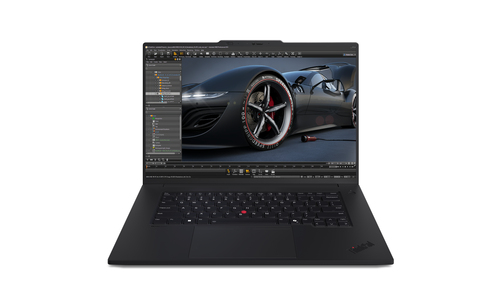
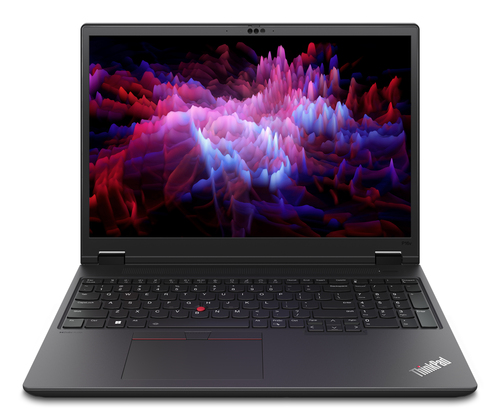
When it comes to top choices for AI-powered PCs, Lenovo offers notable options like the ThinkPad T16g Gen 3 and the P16v Gen 2, each catering to specific user needs. The T16g is powered by superior processing capabilities, ideal for those who require robust computing muscle, coupled with a breathtaking WQUXGA display that offers stunning visuals.
Meanwhile, the P16v focuses on enhanced graphics performance, powered by NVIDIA RTX 500 Ada, making it suitable for users in need of pristine graphical output for tasks like video rendering or complex simulations. These differences can be pivotal depending on your use case—be it multimedia editing or intensive computation. For businesses weighing their options, the product comparison provides a detailed look at how each model stands against specific industry requirements, ensuring you make an informed decision tailored to your operational needs.Which Lenovo ThinkPad Fits Your Needs?
Choosing between the Lenovo ThinkPad T16g Gen 3 and the P16v Gen 2 boils down to your specific needs. The T16g shines with its exceptional WQUXGA display, offering an unparalleled visual experience—perfect for those in design-centric fields. On the flip side, the P16v stands out with its superior NVIDIA RTX 500 Ada graphics, catering to computational tasks and deep analysis requirements.
If your work revolves around complex design, the T16g's capabilities may suit you best. Conversely, if computational prowess is your primary prerequisite, the P16v's enhanced features could be the way to go. Both models promise superior performance and adaptability, empowering users to excel in their respective domains.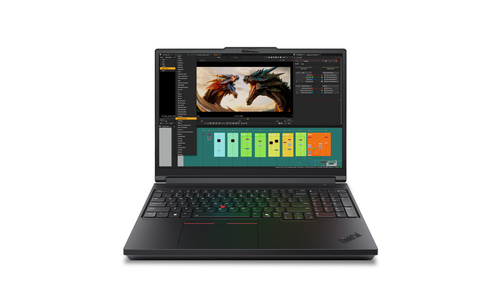
Setting Up Your AI-Powered PC: A Quick Guide
Getting your AI-powered PC up and running is simpler than it seems. Start with the unboxing experience—kind of like opening a gift on your birthday. Connect your peripherals, like the mouse and keyboard, ensuring everything meshes well with your setup. Next, power it up and dive into the initial configurations.
It's essential to install necessary software updates and drivers initially—your PC will prompt you. Tailor your user profile to enable AI functionalities and explore smart power settings to optimize energy use. These configurations not only boost your system's efficiency but also ensure you extract the maximum potential from your new PC. For more on enhancing user interaction, check out our setup tips.Conclusion
As technology evolves at an unprecedented pace, AI-powered PCs are carving a niche for themselves within this dynamic landscape. Their promise: exceptional speed, user-centric experiences, and smarter energy use. Reflect on your current setup—does it tick these boxes? Could augmenting your business tech arsenal with AI make a difference?
If these questions resonate, exploring AI-PC options might just be the leap you need. Many companies offer industry discounts and seasonal deals, so keeping an eye on those could make the transition more cost-effective. For a closer look at current selections, visit our PC category page to see what's new and in tune with evolving demands.Frequently Asked Questions
Common questions about AI PC