Is Your Business Tech Ready for AI-Powered PCs?
In today's fast-paced tech world, AI is quickly becoming a cornerstone of innovation. From smartphones to homes, AI tech is constantly evolving. Now, it's making a significant splash in the realm of business technology with the advent of AI-powered PCs. These machines are engineered to enhance efficiency and productivity, aspects crucial for businesses looking to keep a competitive edge. With these capabilities, integrating AI-PCs into your setup isn’t just an option—it’s becoming a necessity.
Key Features of AI-Powered PCs
AI-powered PCs bring out the best in standard computing, turbocharging processes through smarter CPU functions. Modern processors like the Intel Core Ultra 7 are crafted to shoulder intricate computations, making tasks like data crunching feel almost instantaneous. It's not just about brute force, though. AI also plays a role in smarter multitasking, ensuring that switching between hefty applications doesn't slow down productivity. Power efficiency is another feather in AI's cap—able to run intensive functions while consuming less energy, a boon for businesses keen on cutting energy costs.
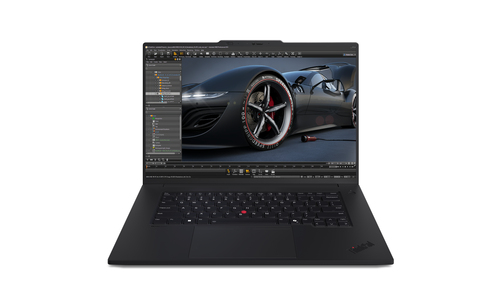
Take, for example, the Lenovo ThinkPad P16 Gen 3, which integrates these AI functionalities. Enhanced processing aligned with minimized energy draw becomes a tangible benefit. For a deeper dive into these technological advancements, check out the brains behind AI-PCs key technical features. Moreover, these PCs are often equipped with innovative hardware optimizations, providing a platform where efficiency meets effectiveness. Businesses find the AI integration particularly useful as it manages operations smoothly, leading to fewer disruptive downtimes. Such qualities typically translate into tangible productivity gains for companies that embrace this tech. With these features, AI-powered PCs are gradually painting a picture of what future-ready computing looks like. They're not just improving how we process data; they're changing the way business tech operates on a fundamental level.Unleashing the Benefits: Why Choose AI-Powered PCs?
So, why should your business consider AI-powered PCs? In short, their impact on performance and productivity is undeniable. AI helps reduce redundant tasks—think about automating data entry or simplifying algorithm updates, tasks that previously drained workplace resources. Typically, the improved user experience from AI features leads to happier, more efficient staff.
In my experience, companies across the U.S. have noticed marked improvements, especially within IT services where AI PCs streamline operations significantly. For instance, where manual oversight was once crucial, AI now manages routine tasks seamlessly, freeing up time for more critical problem-solving. But it's worth mentioning: while premium models usually offer more bells and whistles, they're not always necessary for every business scenario. Interestingly, discussions often revolve around these devices' future value propositions. Look into the future value propositions of AI-PCs to understand where benefits truly shine. Deploying AI-powered computers is not just about future-proofing; it's about creating current efficiencies that leverage technologies like machine learning to anticipate user needs, adjust performance settings dynamically, and suggest helpful actions in real-time. The bottom line? This tech empowers your business to do more, with less stress, and often, fewer resources.Practical Use Cases for AI PCs in Business
Picture this: You're in finance, tackling vast spreadsheets with a client waiting. An AI-PC accelerates number-crunching like a pro—avoiding human errors and allowing for real-time analysis. This means quicker decision-making opportunities. Meanwhile, in creative fields, graphic designers gain precision improvements, transforming how they interact with complex design software. AI-integrated systems adapt to user habits, making every click and drag count.
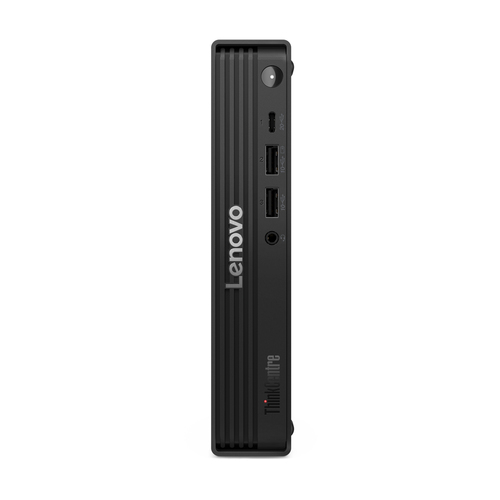
Let’s not forget marketing teams. They utilize AI-PCs to automate data collection, analyze customer behaviors, and even predict trends. Discussions here usually touch on how AI-PCs effortlessly handle multiple analytics tools, driving informed strategy decisions quicker than ever before. Consider the Lenovo ThinkCentre M90q Gen 6 as a strong candidate for handling these AI-driven tasks. What's more, AI-driven enhancements improve team collaboration by syncing processes faster and more seamless than older systems. Real-world applications showcase significant growth in firms applying this technology—they're not just keeping up with competitors; they're setting new benchmarks in operational efficiency. That said, while AI PCs can elevate your business tasks, understanding their practical applications is key to leveraging their full potential. For further insights, explore practical applications for AI PCs.Comparing Lenovo's ThinkPad P16 Gen 3 and ThinkCentre M90q Gen 6
When you place the Lenovo ThinkPad P16 Gen 3 next to the Lenovo ThinkCentre M90q Gen 6, you'll find a few insightful contrasts and a bit of overlap. Both aim to enhance business computing, yet they cater to different needs. The ThinkPad P16 touts high performance thanks to its robust internal components, making it ideal for graphic-intensive tasks with its high-resolution display—a feature designers might swoon over. On the performance spectrum, the portability of the ThinkPad means taking your work on the road is a breeze.
On the flip side, the ThinkCentre M90q, known for its compact design, fits snugly into any workspace without sacrificing power—an excellent option for tight office layouts. Its low energy consumption makes it a stellar pick for eco-conscious companies looking to minimize their carbon footprint. However, much like a race car and an SUV, while both perform efficiently, their utility varies based on business needs. In real-world scenarios, the ThinkPad suits those needing a powerhouse travel companion, while the ThinkCentre finds its strengths in stationary environments with limited space. Depending on your business focus, one of these may neatly slot into your tech ecosystem better than the other.Choosing the Right AI-Powered PC for Your Needs
Faced with different business demands, deciding between the ThinkPad P16 and the ThinkCentre M90q hinges on specific needs. The ThinkPad is tailored for professionals dealing in high-resolution graphics or those requiring performance on the move. Conversely, the ThinkCentre stands as a robust and compact solution ideal for any business that values steady in-office performances. Both models boast impressive AI capabilities, but the contrast in mobility versus a stationary setup is key.
When cost considerations enter the fray, the ThinkPad’s premium features often justify the price for those needing its full capabilities, whereas the ThinkCentre proves an efficient choice without the hefty price tag. So, depending on whether your priorities align with portability or space efficiency, each product offers distinct advantages in line with varied industry needs, encouraging a closer look at their unique offerings.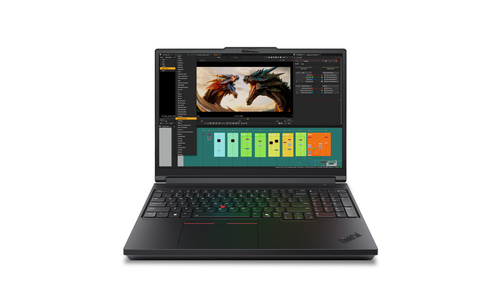
How to Integrate AI-PCs into Your Workflow
Integrating AI-PCs into your workflow starts with a data-driven assessment of your current IT hardware. You'll want to identify where bottlenecks exist. Next, consider which AI features can optimize your routine tasks—whether it's through improved multitasking, faster processing, or enhanced security protocols. This includes practical steps, like configuring settings specific to laptops designed for business and performing software updates tailored to your needs.
A seamless setup avoids common pitfalls; I often recommend confirming compatibility of existing peripherals with the new AI-PCs to mitigate any hiccups. Do keep in mind factory settings might require tweaking for optimal performance—often overlooked but crucial. Expert advice would be to keep abreast of industry-standard practices, ensuring smooth transitions as technology evolves. Over time, a well-integrated AI-PC system will likely become pivotal in driving your team’s daily operations.Conclusion
In wrapping up, it's clear that adopting AI-powered PCs isn't just about keeping pace, but stepping ahead in competitive domains like IT services, especially here in Pennsylvania. With functionalities that boost productivity and provide future readiness, their role can't be overstated. From streamlining mundane tasks to facilitating advanced computational work, these PCs offer much more than mere technological edge—they promise transformative business growth.
As AI-PCs like the ThinkPad P16 and ThinkCentre M90q make waves, now's the time to explore available options. By visiting Lenovo's official site here, you can dive deeper. Remember, it's not just about catching up with innovation, but leading the charge in utilizing cutting-edge technology. So, does your tech stack measure up to the challenge?Frequently Asked Questions
Common questions about AI PC