Which Desktop Is Right for You? Four Must-Know Features
In an era where mobile devices are seeming everywhere, it's easy to forget about the powerhouse that is the desktop computer. Yet, desktops remain the epitome of processing prowess and versatility. They excel in areas where laptops and tablets often fall short. Join us as we delve into the world of desktops, exploring the features that make them the go-to choice for a variety of professional and personal computing needs.
Unleashing Power with Desktop Processors
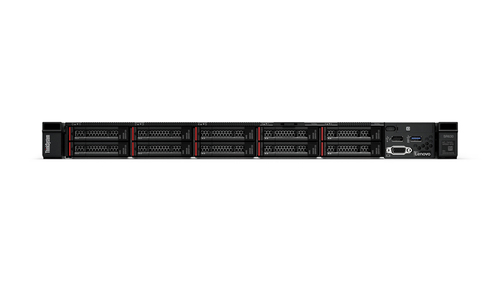
Desktops have always been at the forefront of processing power, largely due to the constant advancement in their processors. The latest desktop CPUs are designed to be far more potent than their portable counterparts. They offer the ability to handle complex calculations and multitask with ease—imagine running multiple virtual machines or hefty design software all at once without a hitch. This isn't just about speed; the enhanced processing capabilities translate directly into better performance for computing-heavy applications.
In industries such as graphic design and IT services, the demand for high performance is intrinsic. These sectors typically rely on these robust desktops to ensure their workflows are unhindered. When rendering 3D models or troubleshooting network complexities, a desktop's processing power often becomes indispensable. Fast processors are not just luxuries but necessities, driving efficiency and productivity in workplaces. And let's not forget about gaming—where desktops shine the brightest. They offer a seamless experience, allowing gamers to enjoy higher fps and smoother gameplay. The combination of superior processing power and customizable hardware makes desktops a favorite among tech enthusiasts and professionals alike. For more insights, our detailed guide might just be what you need.Memory and Storage: Finding Balance
When considering a desktop, memory and storage are pivotal aspects. Ample RAM ensures that software, no matter how demanding, operates without lag. With advancements like DDR5-SDRAM, desktops can juggle multiple programs efficiently, making them perfect for heavy multitaskers. Having sufficient memory is like having a robust support system—it prevents bottlenecks, ensuring smooth daily operations.
Equally crucial is storage. Desktops typically offer extensive storage options, accommodating multiple hard drives or SSDs. This abundance is particularly beneficial for users who need to house large software suites, manage extensive databases, or keep a digital archive of their work. Having all your resources readily available at a click undoubtedly enhances workflow and eases stress. I remember when I first upgraded to a desktop with ample storage; it was like finding an extra room in your house—a game changer for managing data-heavy projects. The efficiency jump was unparalleled. Such upgrades are often seen as investments, ensuring that desktops remain viable and high-performing over longer periods. The importance of balancing RAM and storage in desktops can't be overstated, especially when considering long-term productivity.Graphics Excellence that Desktops Offer
For anyone serious about video editing or 3D modeling, the graphics capabilities of a desktop are unmatched. Desktops can accommodate high-end GPU cards like the NVIDIA T400 series, which provide strikingly clear, high-quality images. This kind of visual prowess isn't only for gamers aiming for maximum render settings, but it also translates to more professional outputs for artists and creators.
Let me share a story—during a client's demanding VR project, the desktop we used with a top-tier graphics card was non-negotiable. The depth and clarity achievable through comprehensive GPUs made the intense project feasible within the tight deadline. It's insights like these that make selecting the right desktop essential for specific needs. Considering a desktop for graphic-intensive tasks allows you to explore customization too. Whether it's upgrading a GPU or tweaking settings for optimal performance, your desktop becomes as flexible as you desire. There's something both empowering and satisfying in seeing your work rendered with pristine precision. If you're venturing into the world of professional design, you might want to explore further the top graphics setups.Design and Customization: Tailor Your Experience
One of the many joys of desktop computers is the level of customization they offer. Whether you want to upgrade RAM, swap out graphics cards, or even change the casing to fit your aesthetic, desktops can be tailored to meet personal or professional requirements. This adaptability isn’t just about looks—it can significantly improve performance, focusing on what truly matters to you.
Take ergonomic designs, for instance. A friend once upgraded his home office setup by aligning his desktop components for perfect ergonomic efficiency. The result? Fewer backaches and a more pleasant workday. Customization in desktops isn't just a technical affair—it's an investment in one’s workspace quality of life. Moreover, desktops can be optimized with energy-saving components, a crucial choice for reducing environmental impact over long periods. A few simple hardware swaps can yield a surprisingly green machine. It’s fascinating how a few changes can create a desktop tailored not just to perform well but also to consume resources responsibly. These real-world adjustments have led to significant gains for me and many other professionals. Interested? Consider starting with our comprehensive resources on customization.Comparing Lenovo ThinkCentre Neo 50s Gen 5 and HP Elite SFF 800 G9
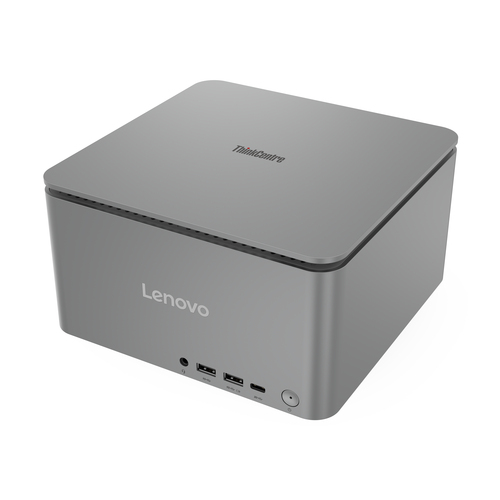
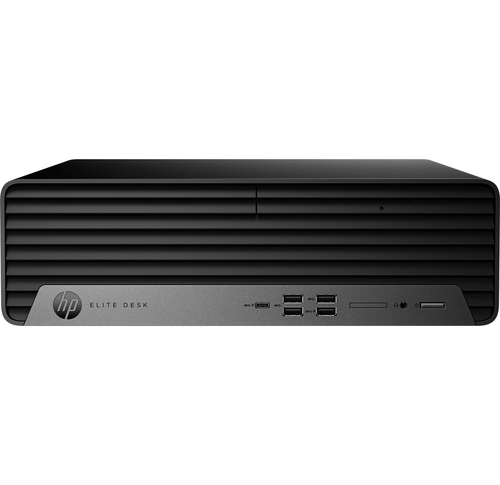
Both the Lenovo ThinkCentre Neo 50s Gen 5 and the HP Elite SFF 800 G9 are stellar choices in their own rights, but which fits better into your world? The Lenovo ThinkCentre Neo is praised for its compact form, making it ideal for smaller office spaces where efficiency is key. It lacks nothing in power, offering robust CPU options, and comes with dependable storage solutions. On the other hand, the HP Elite SFF 800 G9 is known for its expandability, providing an excellent path for future upgrades.
For businesses relying on stability and room for growth, HP's option might be appealing. Yet, Lenovo's offering often wins in environments where space conservation and sleek design are crucial. From what I've seen, it typically boils down to specific needs; the ability to expand versus upfront compact efficiency is the essential consideration. Comparing these desktops with insights from our detailed comparison article could help in making the decision.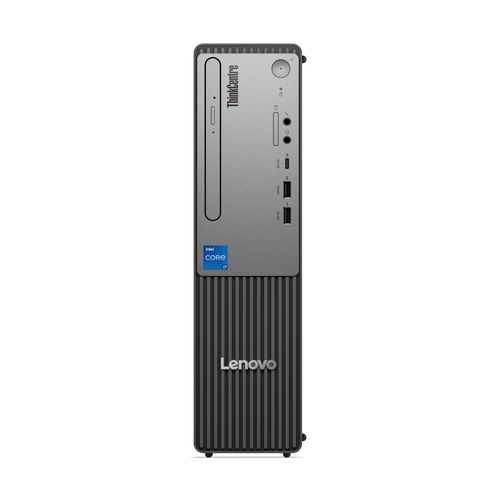
Setting Up Your Desktop for Maximum Efficiency
Once your new desktop is in, the setup can significantly enhance or hinder its potential performance. Start by selecting a location with ample airflow. Good ventilation ensures that your desktop remains cool, avoiding any unintentional slow-downs. The next step is positioning peripherals like your keyboard and mouse ergonomically. Little adjustments here can go a long way in enhancing comfort during extended use hours.
Move on to the initial software setup. Ensure that your operating system and essential drivers are up to date, and consider setting automatic backups for peace of mind. If you're like me, a clutter-free workspace does wonders for focus and productivity. Managing cables neatly and minimizing desk clutter often works wonders. Keep your performance balanced by customizing settings to optimize both performance and energy consumption. It’s about finding that sweet spot where reliability and efficiency intersect. Need more tips? Our comprehensive desktop setup guide delves deeper into these best practices.Conclusion
Desktops continue to hold their ground in today’s tech-savvy world, offering unmatched flexibility and power. Whether for gaming, professional design, or simply ensuring productivity, desktops have long established their value. Their ability to be tailored exactly to one's needs makes them not just tools, but assets. As you navigate the possibilities, consider what matters most—power, specs, or perhaps sustainable efficiency.
And remember, investments in robust setups today often mean a reliable partner for the projects of tomorrow. If you’re pondering over your choice, our resource on desktop solutions might carry the insights you need. For those interested in broadening their research, checking out Lenovo’s extensive range of desktops may be a great starting point. In the end, aligning your decisions with specific requirements will ensure that you make the most out of your desktop investment. Discover more on how desktops excel for business solutions.Frequently Asked Questions
Common questions about Desktops